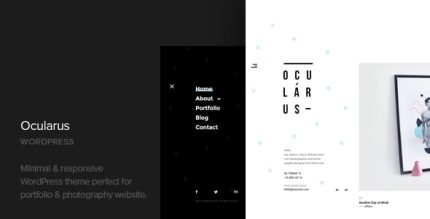
Ocularus 1.8 – Minimal Photography WordPress Theme

With Ocularus, a minimal photography WordPress theme, showcase your portfolio images in an elegant layout. It delivers clean typography and a distraction-free design to make your work shine and boost engagement. Enjoy effortless customization, responsive grids, and seamless WordPress integration for a stunning portfolio site.
Description
Ocularus is a minimal photography WordPress theme built to present portfolio images with an elegant, distraction-free layout. If you want your work to look refined without overwhelming visitors, this theme focuses attention on your photos first, supported by clear, tasteful typography. It’s designed for building a portfolio website that feels modern, smooth, and easy to navigate.
With seamless WordPress integration, Ocularus helps you create a clean portfolio presence quickly, while responsive grids ensure your images stay well organized across devices. The result is a stunning photography layout that encourages visitors to explore and engage with your work.
Main Features
- Minimal photography layout — Keeps the design focused on your images and portfolio content.
- Elegant portfolio presentation — Showcases photo collections in a refined visual structure.
- Clean, readable typography — Uses clear text styling to complement photography without clutter.
- Distraction-free design — Maintains a quiet interface so your work remains the priority.
- Responsive image grids — Organizes portfolio images for consistent viewing on mobile, tablet, and desktop.
- Effortless customization — Lets you adjust elements to match your photography style while keeping the layout cohesive.
- Seamless WordPress integration — Fits naturally within the WordPress workflow for publishing and managing your portfolio.
Benefits
- More focused attention — Visitors spend less time navigating distractions and more time viewing your photos.
- Better UX for portfolios — Responsive grids and clear typography make browsing comfortable across screen sizes.
- Stronger first impression — An elegant, minimalist layout helps your portfolio look polished and intentional.
- Smoother WordPress editing — Integration with WordPress supports an efficient process for updating galleries and content.
- Higher engagement — A layout designed around image discovery can encourage users to explore more pages.
Who is it suitable for?
- Photographers building a portfolio site on WordPress
- Creative professionals showcasing collections of images
- Designers and studios that want a clean, image-first layout
- Agencies managing portfolio-style websites for clients
- Freelancers who need a simple WordPress theme for visual work