nMon 1.10 – Website, Service & Server Monitoring
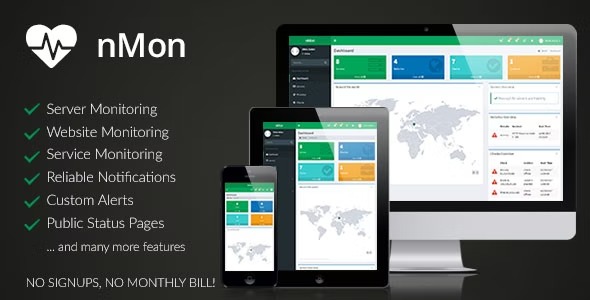
nMon is a powerful tool that lets you monitor the status and health of Linux and Windows servers, websites, services, and IP blacklists from your WordPress dashboard. It delivers real-time alerts and a clear overview, helping you prevent downtime and optimize performance. With easy integration and a clean interface, it’s a lightweight, reliable monitoring companion for WordPress.
Description
nMon is a WordPress plugin that helps you monitor the status and health of Linux and Windows servers, websites, services, and IP blacklists from your WordPress dashboard. Instead of checking multiple tools, you get a single, clear overview where your site admin work already happens.
By surfacing real-time alerts and health signals, nMon helps you spot issues early and reduce the chance of unnoticed downtime. It’s designed to fit cleanly with common WordPress workflows, offering an interface that stays lightweight and practical.
Whether you run a single site or manage multiple environments, nMon gives you a reliable monitoring companion that supports operational awareness directly inside WordPress.
Main Features
- Server health monitoring — Track the status and health of Linux and Windows servers.
- Website status checks — Monitor website availability and key health signals for your web properties.
- Service monitoring — Keep an eye on the health of hosted services tied to your infrastructure.
- IP blacklist monitoring — Monitor the status of IP blacklists to help you react to deliverability risks.
- Real-time alerts — Receive timely notifications when monitored items show problems or changes.
- Dashboard overview — View the current monitoring state in a clear, centralized WordPress admin panel.
- WordPress integration — Manage monitoring from within the WordPress dashboard instead of switching contexts.
- Lightweight interface — Use a clean UI that supports quick checks without disrupting your site workflow.
Benefits
- Fewer surprises — Alerts help you identify problems before they escalate into downtime.
- Faster response — Immediate visibility supports quicker investigation and action on server, site, or service issues.
- Better operational clarity — A unified overview reduces confusion across multiple monitoring targets.
- Improved reliability — Ongoing health tracking supports steadier performance across your infrastructure.
- Deliverability protection — IP blacklist monitoring helps you stay aware of risks that can affect access and messaging.
Who is it suitable for?
- WordPress site owners managing multiple servers and hosted services.
- WooCommerce store operators who need quick visibility into website and infrastructure health.
- System administrators overseeing Linux and Windows environments.
- Agencies supporting client sites that require consistent monitoring from WordPress.
- Developers and DevOps teams integrating operational checks into daily WordPress workflows.
- Businesses concerned about IP blacklist status affecting availability and reach.