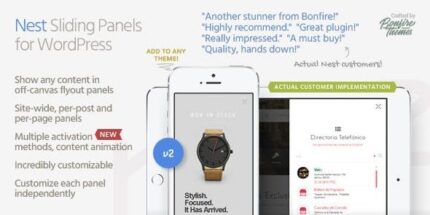
Nest 2.2 – Flyout Sliding Panels for WordPress

Nest lets you add animated off-canvas sliding panels to any WordPress site, perfect for sliding sidebars, headers, footers, or full-screen flyouts. It’s fast to set up, highly customizable with pixel-perfect size and speed, and supports per-post/page overrides for tailored messaging. Type: WordPress plugin.
Description
Nest is a lightweight WordPress plugin that helps you add animated off-canvas sliding panels to any site. It’s designed for common layout patterns like sliding sidebars, sliding headers and footers, or full-screen flyout panels that reveal content without forcing users to navigate away.
With Nest, you can tailor when and where panels appear, including per-post and per-page overrides, so different pages can present different messages. The plugin’s fast setup and tight control over panel sizing and animation timing make it practical for both new and existing WordPress themes and content workflows.
Main Features
- Sliding panel plugin for WordPress — Create animated off-canvas panels that can be attached to your site layout.
- Panel content display — Show any WordPress content inside the sliding panel, from forms to calls to action.
- Site-wide control — Configure a panel globally across the site for consistent behavior.
- Per-post and per-page overrides — Change panel settings for specific pages so messaging can vary by URL.
- Front page option — Optionally show the panel on the front page only.
- Hide on selected pages — Exclude the panel from specific posts or pages when you don’t want it displayed.
- Pixel-precise panel sizing — Set exact panel dimensions to match your theme’s layout.
- Millisecond animation speed — Adjust animation speed with fine-grained control for the motion you want.
- Opacity and scaling effects — Apply scaling/opacity animations to specified theme content when the panel opens or closes.
- Smooth, stutter-free motion — Designed to keep animations fluid during interaction.
Benefits
- Improved engagement — Reveal key content (menus, alerts, forms) in a memorable way using sliding panels.
- More relevant experiences — Use per-page overrides to match panel messages to specific posts and visitors’ intent.
- Better UX flow — Keep navigation simple by presenting information without page transitions.
- Consistent layout control — Fine-tune size, speed, and motion so panels align with your WordPress theme.
- Potential conversion lift — Surface signup prompts and product highlights where they’re most likely to act.
Who is it suitable for?
- WooCommerce stores that want sliding promos or feedback prompts
- WordPress blogs and publishers running event or newsletter sign-ups
- Agencies building client sites with reusable panel layouts
- Online schools sharing announcements or course-related flyouts
- Portfolio and product websites needing attention-grabbing sidebars
- Content-heavy sites that want non-intrusive, page-specific messaging