MotoPress Content Editor 3.1.1
Description
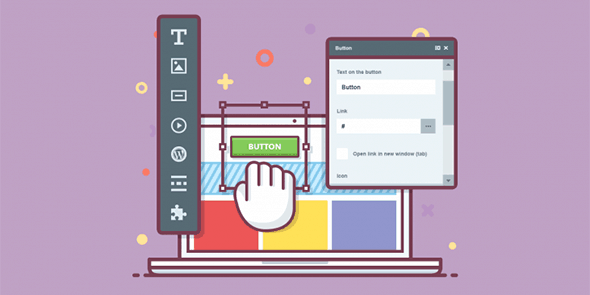
MotoPress Content Editor is a WordPress plugin that provides a frontend drag-and-drop page builder for designing pages, posts, and custom post types visually. It helps you solve the problem of editing complexity by letting you build layouts directly in the browser, using a rich set of content modules and styling options. Instead of relying heavily on shortcodes, it supports an editing workflow that avoids shortcode lock-in, so your content stays easier to manage as your site evolves. With seamless theme integration, you can customize your site to match your existing WordPress theme while improving your speed and comfort when creating new content.
Whether you’re updating a landing page or building structured content across a custom post type, the editor’s user-friendly toolkit makes the process straightforward in WordPress, Elementor-adjacent for visual editing teams, without forcing manual shortcode work.
Main Features
- Frontend drag-and-drop editing — Design layouts directly on the page while you work.
- Visual builder for pages and posts — Create and modify standard WordPress content without complex markup.
- Custom post type support — Build templates and layouts for specialized content types.
- Content module library — Add structured blocks for building different page sections.
- Styling options — Adjust the look and feel of modules with visual controls.
- No shortcode lock-in — Avoid being tied to shortcode-heavy editing when changing designs.
- Quick, frontend workflow — Make edits faster with an interface focused on real-time building.
- Theme integration — Work with your active WordPress theme for a consistent site appearance.
Benefits
- Faster page creation — Drag, drop, and style visually to reduce build time for new layouts.
- Better content workflow — Frontend editing improves clarity and reduces trial-and-error compared to code-based changes.
- Higher maintainability — Less dependence on shortcodes makes future edits easier and less fragile.
- Improved UX — Consistent design adjustments help keep pages polished and user-friendly.
- More flexible design — Modules and styling options support consistent sections across pages and CPT templates.
- Seamless integration with themes — Customize without fighting your existing theme’s structure and look.
Who is it suitable for?
- WordPress site owners updating pages and posts regularly
- Teams building landing pages with visual, module-based layouts
- Agencies managing multiple WordPress projects and themes
- Publishers and blogs with custom post types and structured content
- Marketers who want faster iterations without shortcode-heavy workflows
- Creators maintaining consistent styling across a WordPress site