Month 1.2.5 – Annual Pricing Table Widget For Elementor

Description
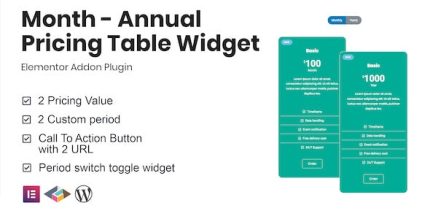
Month is a WordPress pricing table widget for Elementor that helps you present flexible annual and monthly plans in a clear, structured layout. It solves a common pricing-page problem: visitors need a quick way to compare costs without confusion. With a toggle period option, you can show two price values tied to different billing periods while keeping the content focused. Month is designed to integrate smoothly with Elementor, so you can build and update pricing sections directly inside your page editor using a clean, professional widget layout.
Instead of relying on static pricing text, this plugin lets you communicate value more effectively by pairing plans with the period the visitor is considering. The result is a pricing display that is easier to scan and better aligned with conversion intent—especially for WooCommerce stores, SaaS-style landing pages, and subscription-based offerings.
Main Features
- Elementor pricing widget — Add a dedicated pricing table element directly in the Elementor editor.
- Annual and monthly setup — Create pricing that supports two common billing periods.
- Toggle period button — Let users switch between periods to view the matching price.
- Two price values — Display separate price amounts for each selected period.
- Plan-focused layout — Keep plan details organized for easier comparison.
- Clear value presentation — Show pricing in a way that highlights what changes by period.
- Widget-based editing — Update the pricing table without rewriting page sections.
- Clean, consistent design — Maintain a tidy visual structure for pricing content.
Benefits
- Higher conversions — Clear period-based pricing helps visitors commit faster.
- Better UX — A toggle reduces scrolling and keeps comparisons straightforward.
- Reduced pricing confusion — Visitors see the correct price for the selected billing period.
- Faster page updates — Edit plan values within Elementor instead of rebuilding layouts.
- More persuasive clarity — A focused pricing table communicates value consistently across pages.
Who is it suitable for?
- WooCommerce stores offering subscriptions or membership-style plans
- Subscription-based SaaS and app landing pages
- Marketing agencies building Elementor client websites
- Bloggers and content creators promoting memberships or courses
- Online schools and training platforms with tiered plans