
Modal Survey 2.0.2.3.4 – WordPress Poll, Survey & Quiz Plugin
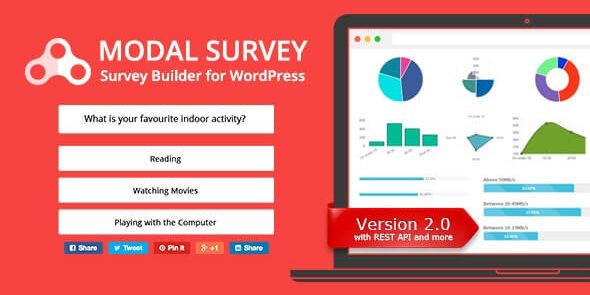
Modal Survey is a WordPress poll, survey & quiz plugin that captures visitor feedback with unlimited surveys, questions, and answers, and displays results via a progress bar, pie chart, or text. It delivers actionable insights fast and boosts engagement, with easy setup and seamless integration as a key extra advantage—try it and invite your visitors to share their voice.
Description
Modal Survey is a WordPress poll, survey, and quiz plugin designed to capture visitor feedback with an engaging, attention-grabber modal format. It helps you collect opinions, preferences, and information from site visitors using unlimited surveys, questions, and answer options. After submissions, the plugin quickly turns responses into readable results so you can understand what your audience wants. Modal Survey is useful for improving engagement and making website decisions based on real user input. It also fits neatly into existing WordPress sites thanks to a straightforward setup process and seamless integration with your content.
Main Features
- WordPress poll, survey & quiz — Create interactive prompts for collecting visitor input.
- Unlimited surveys — Build as many separate poll/survey experiences as you need.
- Unlimited questions — Add multiple prompts within each survey flow.
- Unlimited answers — Define answer choices to match different question types.
- Attention-grabbing modal display — Present the poll in a focused pop-up experience.
- Progress bar results — Show outcomes visually with a progress bar view.
- Pie chart results — Display response distribution using a pie chart format.
- Text-based results — Present summaries in a simple, readable text layout.
- Fast insights — Turn submissions into actionable reporting quickly.
- Easy setup — Get your first survey running without complex configuration.
Benefits
- Better engagement — Modal-style interaction encourages more visitors to participate.
- Higher conversions — Gather preferences that can inform CTAs and page messaging.
- Clearer decision-making — Progress, pie chart, and text results make trends easy to interpret.
- Improved UX — Structured questions help users share feedback without friction.
- Actionable insights — Collect real audience input to refine content, products, or onboarding.
Who is it suitable for?
- WooCommerce stores collecting product feedback and customer preferences
- Marketing teams running campaign polls and audience research
- Bloggers and content sites validating topics and improving engagement
- Agencies that manage multiple WordPress client websites
- Online courses and community sites seeking learner input
- Small SaaS and SaaS landing pages testing messaging and usability feedback
