MiniOrange LDAP/Active Directory Login for Intranet Sites Premium 27.0.1

Log into your WordPress site with LDAP/AD credentials using the MiniOrange LDAP/AD Login for Intranet Sites Premium, enabling secure, centralized authentication across Microsoft AD, Azure AD, and OpenLDAP. Benefit from seamless single sign-on for your intranet users plus easy integration and broad compatibility. Explore this Wordpress plugin today.
Description
MiniOrange LDAP/Active Directory Login for Intranet Sites Premium is a WordPress plugin that lets users sign in with LDAP/AD credentials, using the accounts stored in your directory. Instead of maintaining separate usernames inside WordPress, it performs LDAP Authentication against your configured LDAP server.
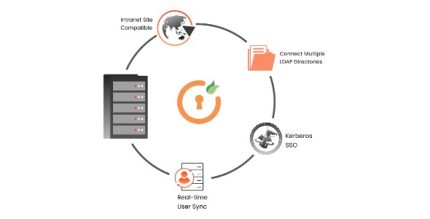
This helps you centralize access control across Microsoft Active Directory, Azure AD, and OpenLDAP, making it easier to manage intranet logins and support consistent identity rules. The result is a smoother single sign-on experience for intranet users, with compatibility for both intranet and extranet networks.
Main Features
- LDAP/AD login for WordPress — Authenticate sign-ins using credentials stored in your directory service.
- Microsoft Active Directory support — Perform LDAP Authentication against on-prem Active Directory.
- Azure AD compatibility — Use Azure AD as an identity source for WordPress access.
- OpenLDAP integration — Connect to OpenLDAP servers for centralized authentication.
- Centralized user credentials — Manage identity in one place instead of duplicating accounts in WordPress.
- Intranet and extranet compatibility — Works for internal portals and partner-facing networks that rely on LDAP/AD.
- Directory-based access control — Keep authentication aligned with your organization’s existing directory policies.
- Easy integration with WordPress login — Use your existing identity workflow to secure access to your site.
Benefits
- Higher login consistency — Users authenticate with the same credentials used across your Microsoft AD/Azure AD/OpenLDAP environment.
- Simplified identity management — Reduce administrative effort by maintaining accounts in your directory rather than in WordPress.
- Better user experience — Support an SSO-like flow for intranet users who already rely on directory sign-in.
- Improved security posture — Centralize authentication to align with your existing access controls and directory governance.
- Broader compatibility — Works across common LDAP/AD systems used by organizations building WordPress intranet sites.
Who is it suitable for?
- Organizations running WordPress-based intranet portals with LDAP/AD accounts
- Teams using Microsoft Active Directory for centralized authentication
- Organizations relying on Azure AD for user identity and access
- Businesses that use OpenLDAP or mixed LDAP environments
- IT departments managing access across multiple WordPress sites
- Agencies building partner extranet content that should follow directory credentials