MiniOrange Embed SharePoint OneDrive Documents Premium 26.0.0
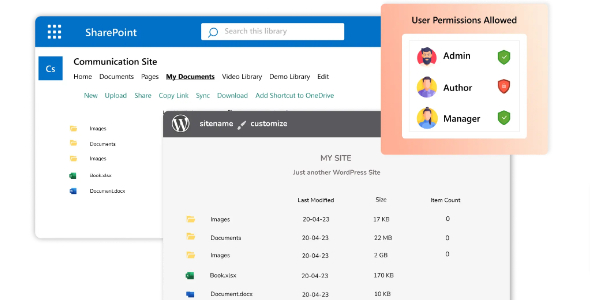
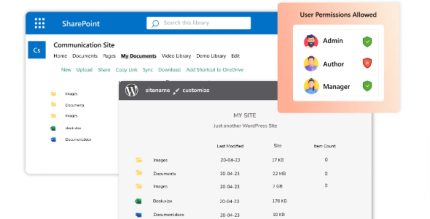
MiniOrange Embed SharePoint OneDrive Documents Premium is a Wordpress plugin that lets you embed and reuse SharePoint files directly on your site. Create a centralized repository with role-based access, making distribution and embedding effortless for your users. Enjoy seamless integration, security, and a smoother teamwork experience—explore it now.
Description
MiniOrange Embed SharePoint OneDrive Documents Premium is a WordPress plugin that helps you embed and reuse SharePoint files and OneDrive documents directly on your site. Instead of re-uploading assets, you can distribute content from a centralized SharePoint/OneDrive repository and display it wherever it’s needed. The plugin integrates with your WordPress website so users can access documents from within posts, pages, or embedded sections. It also supports role-based access, making it easier to share the right files with the right people while keeping content organized for teamwork.
Main Features
- SharePoint and OneDrive embedding — Embed files and documents from your SharePoint/OneDrive repository into WordPress.
- Centralized document repository — Create a single place to manage and reference SharePoint content for your site.
- Role-based access control — Show documents to WordPress users based on roles and memberships.
- Reuse of existing files — Display the same SharePoint documents across multiple WordPress pages without duplication.
- Content distribution — Publish SharePoint materials to your website for easier internal or customer access.
- Embedding for videos and documents — Support embedding SharePoint-hosted media and document types for a unified experience.
- Seamless WordPress integration — Designed to work within WordPress content workflows for straightforward setup.
- Security-focused sharing — Helps limit visibility to authorized users through membership and role checks.
Benefits
- Higher engagement — Visitors can view relevant SharePoint/OneDrive content without leaving your site.
- Better UX — Centralizes documents and reduces broken links or repeated uploads.
- More secure sharing — Role-based visibility helps prevent unauthorized access to sensitive files.
- Faster publishing — Reuse the same repository content across multiple pages and updates become simpler.
- Simpler teamwork — Teams can maintain documents in SharePoint while WordPress delivers the right views to users.
Who is it suitable for?
- Teams running SharePoint as their document hub and needing WordPress presentation
- Companies with multiple user roles that require controlled access to internal documents
- Websites managing training materials, policies, or resources stored in OneDrive/SharePoint
- Agencies and web teams integrating enterprise content into client WordPress sites
- Organizations that want to embed SharePoint media and documents across marketing or knowledge pages