Mini Cart Widget for Elementor WooCommerce 1.0.4
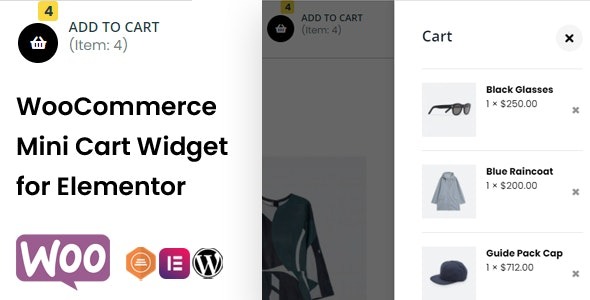
Mini Cart Widget for Elementor WooCommerce lets you add a header mini cart with hover or click to reveal cart contents, boosting checkout flow and conversions. It offers full customization of icon, counter, text and cart content—colors, typography, spacing—for a seamless Elementor integration and a professional look. Type: WooCommerce.
Description
The Mini Cart Widget for Elementor WooCommerce helps you add a header mini cart to your WooCommerce storefront using Elementor. It solves the common problem of making cart access easy without forcing customers to leave the page, supporting a smoother path to checkout. With hover or click behavior, shoppers can quickly preview what they’ve added and review cart contents in a compact panel. You also get a polished, store-consistent look through Elementor-friendly customization of the mini cart layout and typography.
Designed for WordPress + WooCommerce setups, this Elementor plugin widget focuses on improving cart usability and the overall buying experience by keeping cart information visible and actionable.
Main Features
- Header mini cart widget — Add a mini cart to your Elementor header for quick customer access.
- Hover or click reveal — Show cart contents when users hover over or click the mini cart trigger.
- Compact cart contents display — Reveal the items currently in the cart in a compact, readable dropdown.
- Icon customization — Customize the mini cart icon to match your store branding.
- Counter customization — Adjust how the cart item counter appears with configurable styling.
- Text customization — Control the mini cart label and related text for clearer messaging.
- Cart panel styling — Customize cart content colors, spacing, and overall visual presentation.
- Typography control — Choose typography settings for a consistent, professional appearance inside Elementor.
Benefits
- Faster cart access — Customers can review cart contents instantly without navigating away, improving UX.
- Better checkout flow — Clear, visible cart status helps users continue toward checkout more confidently.
- Higher conversions — Reducing friction around cart review can support improved conversion performance.
- Consistent branding — Icon, counter, text, and panel styling keep the header experience cohesive across pages.
- More engaging interactions — Hover or click behavior gives users control over how they view cart details.
Who is it suitable for?
- WooCommerce stores using Elementor for header layouts
- Online shops that want a quick-view mini cart for improved UX
- Web agencies building WordPress sites with Elementor widgets
- Marketing-focused storefronts optimizing the path to checkout
- Content and ecommerce hybrids that need a clean, compact cart display