Minerva Support 2.0.8 – Knowledge Base, FAQ, Glossary, Tickets
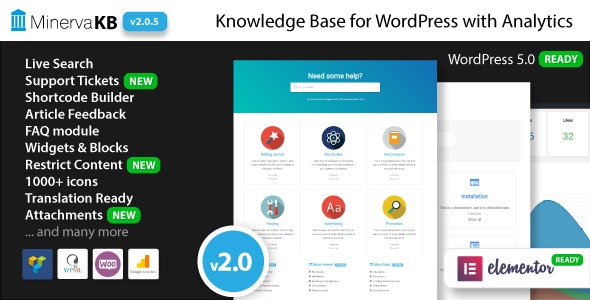
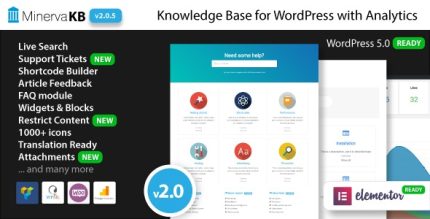
Minerva Support helps you add documentation and track performance instantly—perfect for WordPress users looking to streamline support and improve transparency. Get a clear, user-friendly knowledge base and real-time metrics that boost onboarding and reduce support load. A sleek, easy-to-use WordPress solution designed for fast setup and dependable insights.
Description
Minerva Support is a WordPress plugin designed to help you publish documentation and measure how it performs, right where your users are. It streamlines support by turning common questions into a clear, user-friendly knowledge base. With real-time performance tracking, you can spot what users rely on and where they may get stuck. This creates more transparency, improves onboarding, and helps reduce repetitive support requests.
Built for WordPress teams who want dependable insights without complex setup, Minerva Support makes it easier to keep documentation up to date and evaluate its impact over time.
Main Features
- Documentation publishing — Create and organize support content to help users find answers quickly.
- Instant performance tracking — Monitor how documentation is being used with up-to-date metrics.
- Real-time insights — View current activity signals to understand engagement trends as they happen.
- User-friendly knowledge base — Present documentation in a clear, approachable format for better comprehension.
- Support transparency — Help users understand where to look and how information is structured.
- Onboarding support — Provide the right resources early to guide new users through common tasks.
- Streamlined support workflow — Reduce repeated questions by improving access to existing documentation.
- Fast setup in WordPress — Get started quickly with a WordPress-focused support approach.
Benefits
- Lower support load — Users self-serve from the knowledge base instead of requesting repeated help.
- Better user experience — Clear documentation reduces confusion and speeds up task completion.
- Smarter content decisions — Performance metrics show what’s working and what needs refinement.
- Improved onboarding — New users reach essential guidance sooner with less back-and-forth.
- Greater transparency — Users can quickly understand where answers live and how to use them.
Who is it suitable for?
- WordPress site owners supporting customers or community users.
- WooCommerce store teams that need product and setup documentation.
- Agencies managing multiple client knowledge bases.
- Content creators building evergreen help or how-to libraries.
- Online platforms that want to reduce repetitive support questions.