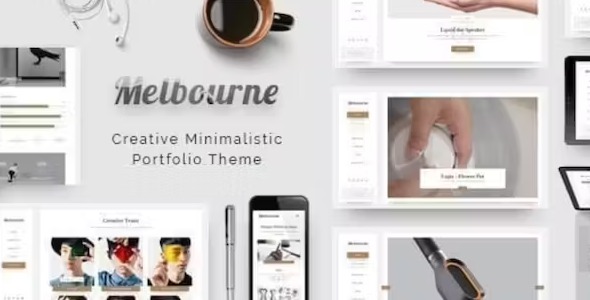
Melbourne 1.4.2 – Portfolio Theme
Description
Melbourne is a minimal, elegant WordPress template kit designed around a content-first approach and a standout portfolio grid. It helps you present work clearly, without visual distractions, so visitors can focus on your projects. Built to be flexible across different website goals, Melbourne pairs a clean theme structure with powerful options and reusable shortcodes. The result is an organized, portfolio-led experience that adapts to your content and page needs.
Whether you’re launching a new creative site or refining an existing layout, Melbourne streamlines how you build pages and showcase items. With grid-first portfolio presentation and content-friendly templates, it’s a practical choice for anyone who wants a refined look with straightforward customization in WordPress.
Main Features
- Content-first layout — Keeps the design focused on your text and media while maintaining a clean visual hierarchy.
- Portfolio grid — Presents projects in a structured, grid-based showcase that highlights work efficiently.
- Minimal, elegant styling — Delivers a distraction-free aesthetic suited to professional creative displays.
- Theme options — Lets you adjust key presentation settings to match your website’s look and feel.
- Reusable shortcodes — Adds flexible sections and layout elements without starting from scratch.
- Template-driven pages — Provides organized templates that support consistent portfolio and content presentation.
- Project showcase focus — Emphasizes portfolio browsing to make viewing and discovery more intuitive.
- Adaptable for different projects — Works across a range of site types where a portfolio or catalog is central.
Benefits
- Clearer project discovery — Grid-based layout helps users scan and find relevant work faster.
- Better user experience — Minimal styling reduces distractions and supports comfortable reading and browsing.
- More consistent pages — Template structure helps keep portfolio and content sections aligned across the site.
- Faster page building — Shortcodes and reusable sections streamline adding layout elements in WordPress.
- Improved content presentation — Content-first design keeps attention on your media and descriptions for stronger storytelling.
Who is it suitable for?
- Creative professionals building a portfolio website in WordPress
- Photography, design, and studio pages that need a clean project grid
- Freelancers who want an organized, content-friendly showcase
- Agencies managing multiple client-style layouts with reusable templates
- Blog and magazine-style sites that also want a prominent work gallery