Maven – Business Agency Elementor Template Kit
| Cetegory: | Business & Services |
|---|---|
| Full Preview: | Maven |
| More Info: | Themeforest |
| HOW TO INSTALL |
Description
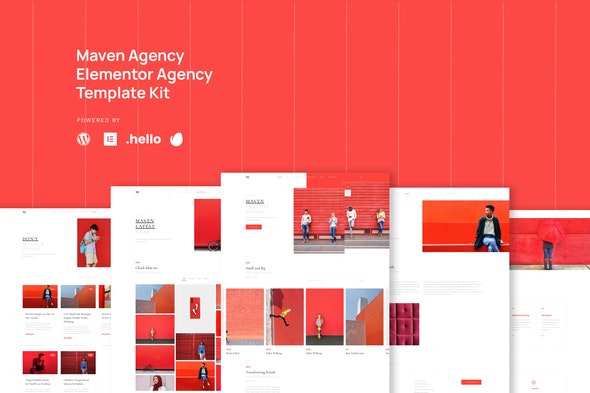
Maven is template kit which designed for corporation, studio and agency. It is featured with interactive heroes, center carousel for team, portfolio, and testimonial. It is also has feature of pricing list, service list, history, awards, and so on. You can use this template to power up your company online.
Page Templates :- Homepage
- About
- Service
- Portfolio
- News
- Single News
- Contact
- Single 404
Sections and Blocks :
- Header
- Footer
- Hero
- Team
- Testimonial
- Pricing List
- Contact Form
- Newsletter Form
- Elementor
- Elementor Pro
- Premium Plugin for Elementor
System Requirements to Install Elementor Kit
- Memory Limit Hosting Server Should Be 512 Mb
- MySQL version 5.6 or greater OR MariaDB version 10.0 or greater
- PHP 7 or Greater
- Wordpres 5.2 or Greater
- This template not support Internet Explorer.
- For More Info Kindly Visit this Guide: https://elementor.com/help/requirements/
How to Install the Hero Slide, Portfolio, Team and Testimonial Carousel Note: (Please Refer on our Demo for each type of Block) Step 1: Importing the Block 1. Import Maven Hero Layout Block section 2. Set your image and text that you desire 3. Click on small heading of Slide, click advanced and put CSS id to hero-2 4. Click on small heading again, select box URL link, set to #/ 5. Click Update 6. Back again to Template Library 7. Duplicate Neve Hero Layout Block Section 8. Rename it to Neve Hero Layout Block 2 9. And Repeat Step 1 4. 10. Remember Rename CSS ID in Sequence (Ex: hero-1, hero-3, and so on)* 11. You may create more duplicate, just rename and sequence the CSS IDE
This step also applies to set portfolio, Team and Testimonial Carousel *However, for the Portfolio, Team and Testimonial no need to set the CSS ID
CSS ID Sequence Example
1. Maven Hero Layout Block : hero-1 2. Maven Hero Layout Block 2: Block 2: hero-2
Step 2: Importing Homepage
1. Import the Homepage 2. Click Navigator Icon on the Left Corner 3. Select Premium Carousel 4. Choose and Open Repeater 5. Set each Repeater to Minima Hero Layout Block 1, 2, and 3 6. Set each Repeater the CSS ID with Hashtag (Ex: #hero-2, #hero-3, #hero-1) 7. Update
For Detail Tutorial, Click Here: https://premiumaddons.com/docs/how-to-use-elementor-widgets-to-navigate-through-carousel-widget-slides/If you need assistant to set your kit, kindly email us to: [email protected]; we are than happy to help you.
Images
This Template Kit uses demo images from Envato Elements. You will need to license these images from Envato Elements to use them on your website, or you can substitute them with your own.- https://elements.envato.com/group-of-multiracial-fashion-friends-using-smartph-JN4M4A5
- https://elements.envato.com/the-girl-stands-opposite-the-red-wall-JQG6SGM
- https://elements.envato.com/off-the-wall-WU7VSS7
- Portrait Of Businesswoman In Corporate Office
- https://elements.envato.com/man-in-office-environment-PBZEJLF
- https://elements.envato.com/wall-CT5UXF8
- https://elements.envato.com/bicycle-parked-against-red-wall-PRFKGVH
- https://elements.envato.com/architecture-V8ZMJT3
- https://elements.envato.com/red-smart-phone-and-white-wireless-earphones-FYVNVYE
- https://elements.envato.com/a-little-boy-in-a-big-world-PGVNJXT
- https://elements.envato.com/amputated-young-boy-playing-basketball-at-the-park-ATFZD4Y
- https://elements.envato.com/a-thai-woman-in-light-blue-shirt-and-short-standin-BPB94BZ
- https://elements.envato.com/focused-young-sportsman-playing-basketball-at-cont-4CJL6PT
- https://elements.envato.com/beautiful-muslim-girl-wearing-hijab-N7YR9CL
- https://elements.envato.com/young-teenage-boy-standing-relax-on-red-wall-textu-9M2DL65
- https://elements.envato.com/manager-in-office-FUMUHRV
- Happy girl using mobile device