Masker 1.1.5 – Clipping Mask for Elementor
Description
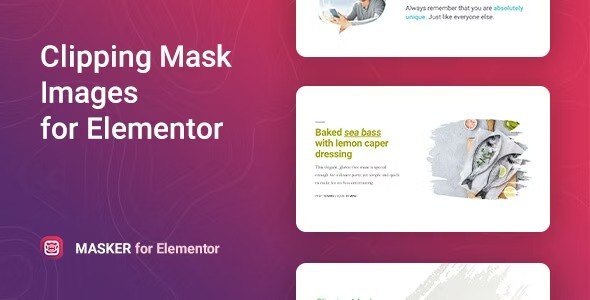
Masker is a WordPress widget for Elementor that reshapes your images using clipping masks. Instead of showing a standard rectangular image, it creates a custom silhouette that can make key visuals stand out on posts and pages. The plugin is designed to help you draw attention to specific parts of an image while keeping your layout clean and consistent. With quick, precise masking and no code required, it’s a simple way to upgrade visual presentation across your Elementor designs.
Built for flexible Elementor workflows, Masker lets you apply a clipping mask to an entire image or target only part of the selected image. This makes it useful for highlights, featured sections, and creative hero layouts where you want an eye-catching element without complex editing.
Main Features
- Elementor widget for WordPress — Add masking effects directly inside the Elementor editor.
- Clipping mask reshaping — Transform images into distinctive shapes using clipping masks.
- Any clipping mask support — Apply a chosen clipping mask to achieve a custom look.
- Flexible mask options — Adjust how the mask is used to match your design intent.
- Mask a specific image part — Apply the mask to selected areas, not only the full image.
- Quick, precise masking — Produce accurate results without manual image editing.
- No-code setup — Configure masking through Elementor controls.
- Reusable design element — Keep consistent styling across Elementor pages and sections.
Benefits
- More focused visuals — Highlight the most important parts of an image to guide attention.
- Unique on-page look — Create distinctive image shapes that stand out in feeds and hero sections.
- Improved user experience — Cleaner, more intentional layouts help users scan and understand content faster.
- Better visual storytelling — Use targeted masking to support messaging and section hierarchy.
- Faster design iteration — Adjust masks inside Elementor without exporting or re-editing images.
Who is it suitable for?
- WooCommerce stores adding creative product or category visuals in Elementor
- Marketing agencies building landing pages and campaign sections
- Bloggers and content creators enhancing featured images and post headers
- Portfolio sites needing custom hero imagery and section highlights
- Small business websites using Elementor templates for consistent design
- Online courses or membership sites improving course marketing sections