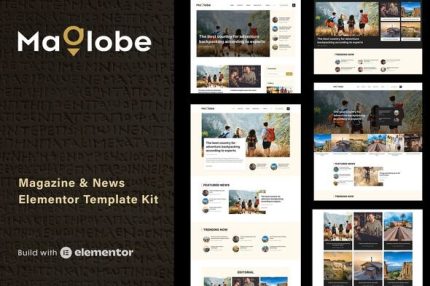
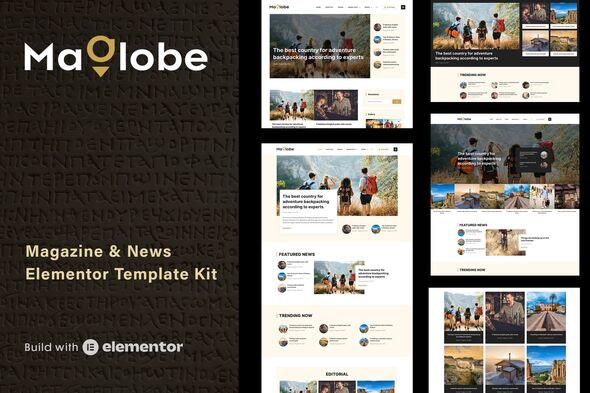
Maglobe – Magazine & News Elementor Template Kit
| Cetegory: | News & Magazines |
|---|---|
| Full Preview: | Maglobe |
| More Info: | Themeforest |
| HOW TO INSTALL |
Description
Maglobe is a magazine & news Elementor template kit with a clean and modern design suitable for everyone who wants to share their stories about todays ever-changing technology and the latest breaking news.
This template kit is suitable for blogging, news, newspaper, magazine, and publishing site. It uses SEO best practices, is fast-loading, and is easy to customize and set up. Maglobe supports responsive Google Ads and AdSense.
Elementor Pro upgrade is required for most templates and features (not included)
TEMPLATE FEATURES
- Modern & Clean Design.
- 19 Ready to use templates.
- 14 blocks/sections.
- 5 Homepage layouts.
- 4 Single Post layouts.
- Many ways to show your content.
- Great social engagement.
- Global Styles included.
- Total color & typography customization.
- SEO-friendly design.
- No coding knowledge is required.
- The quick and easy templates import feature.
- Easily workable Form builder.
- Header and Footer builder.
- Fully Responsive Layout.
- Fully Customizable.
- Cross-Browser Compatible.
PAGE TEMPLATES
- Home Page 1
- Home Page 2
- Home Page 3
- Home Page 4
- Home Page 5
- Category layout 1
- Category layout 2
- Single Post layout 1
- Single Post layout 2
- Single Post layout 3
- Single Post layout 4
- Author Archive
- Post Archive
- Other Archive
- Search Results
- About
- Gallery
- Contact
- 404 Page
Included addons
- Happy Addons for Elementor
How to Install:
- Install and Activate the Envato Elements plugin from Plugins > Add New in WordPress
- Do not unzip
- Go to Elements > Installed Kits and click the Upload Template Kit button.
- Before importing a template, ensure the Install Requirements button is clicked to activate required plugins
- For best results, do not import more than one template at a time.
- Go to Pages and create a new page and click Edit with Elementor
- Click the gear icon at lower-left of the builder to view page settings and choose Elementor Full Width and hide page title
- Click the gray folder icon to access the My Templates tab and then Import the page youd like to customize
For further support, go to Elementor > Get Help in WordPress menu.
ASSETS
This Template Kit uses demo images from Envato Elements. You will need to license these images from Envato Elements to use them on your website, or you can substitute them with your own. Blog Content is not included you will need to add a few posts to WordPress before post content will appear in templates.
- https://elements.envato.com/image-HJPL9N9
- https://elements.envato.com/image-HM28QNV
- https://elements.envato.com/image-TSF44MJ
- https://elements.envato.com/image-6USRZDF
- https://elements.envato.com/image-MJB6NH9
- https://elements.envato.com/image-GADUMW8
- https://elements.envato.com/image-STGGKQU
- https://elements.envato.com/image-PLRJUDH
- https://elements.envato.com/image-MT6ZRT3
- https://elements.envato.com/image-LH9U5QF
- https://elements.envato.com/image-ALESNG4
- https://elements.envato.com/image-SY56VBH
- https://elements.envato.com/image-A8W3QCN
- https://elements.envato.com/image-RB5T2Q8
- https://elements.envato.com/image-9KXQ6BH
- https://elements.envato.com/image-PXQK64Z
- https://elements.envato.com/image-LGDMMTP
- https://elements.envato.com/image-76PTCB3
- https://elements.envato.com/image-EEGAWKW
- https://elements.envato.com/image-TE3GTRU
- https://elements.envato.com/image-USHR5SK
- https://elements.envato.com/image-JHLTLZL
- https://elements.envato.com/image-QTV2MCM
- https://elements.envato.com/image-PT6PUPH
- https://elements.envato.com/image-PRJDJJQ
- https://elements.envato.com/image-PC2WZDN
- https://elements.envato.com/image-JK9V7AB
- https://elements.envato.com/image-KRNXP6Y
- https://elements.envato.com/image-PX5RPR4
- https://elements.envato.com/image-XW3TEFZ