Login Form Widget Elementor Addon 1.0.2
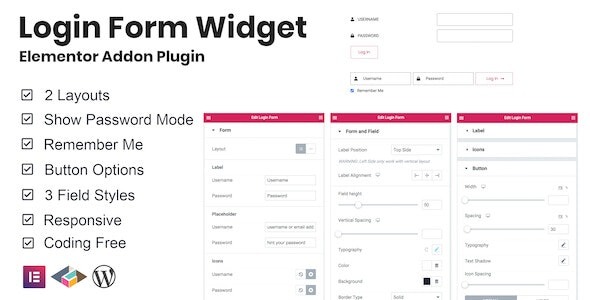
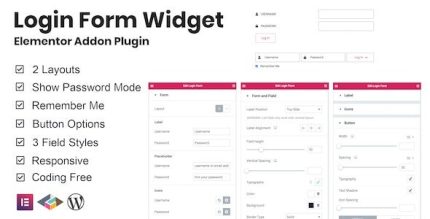
Login Form Widget Elementor Addon lets you embed a versatile WordPress login form anywhere on your site with two layout styles and three field styles. Designed for seamless integration with Elementor, it boosts user access and conversions while keeping design consistent with your theme. Explore its flexible options for a tailored experience.
Description
The Login Form Widget Elementor Addon is a WordPress plugin that lets you add a native login form directly inside Elementor pages, templates, or template kit layouts. Instead of relying on a plain shortcode or a separate page, you can place the form exactly where users need to sign in.
It keeps your authentication UI consistent with your theme by offering two layout style options and three field style options. This makes it easier to maintain a clean, cohesive design while supporting smoother access to gated areas, member sections, or account-based flows.
Main Features
- Elementor login widget — Adds a WordPress login form as an Elementor widget for flexible page building.
- Embed anywhere on your site — Place the login form on the exact sections of your layout without creating a separate page.
- Two layout style options — Choose between two form layout presentations to match different page designs.
- Three field style options — Apply different visual treatments to the login fields for better design alignment.
- Design consistency with themes — Helps your login UI look cohesive with your existing WordPress theme styling.
- Widget-based configuration — Configure and display the form through Elementor’s editing workflow.
- Versatile page usage — Suitable for landing pages, account areas, and navigation-driven sign-in sections.
Benefits
- Higher access completion — Makes sign-in easier to reach from the right page sections.
- Better UX flow — Keeps login where users expect it, reducing friction in the navigation experience.
- More cohesive visuals — Field and layout styling help maintain a consistent look across your theme.
- Faster page building — Build with Elementor using a dedicated widget instead of reworking form placements.
- Improved conversion chances — A well-integrated login placement can support stronger engagement from visitors.
Who is it suitable for?
- WooCommerce stores with account-based pages that need inline sign-in forms.
- WordPress blogs using Elementor for author/member login sections.
- Web agencies building client sites with consistent Elementor templates.
- Online schools and community platforms with gated content access.
- SaaS landing pages that route users to embedded login sections.
- Content creators managing membership areas within Elementor layouts.