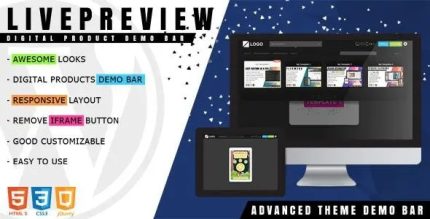
LivePreview 1.2.3 – Theme Demo Bar for WordPress

LivePreview is a WordPress plugin that lets you manage and switch between your digital products—from WordPress themes to HTML templates—using an integrated responsive test tool and thumbnail switch panel. It saves time by previewing in real time and streamlining purchases with action buttons, plus easy customization via CSS/LESS.
Description
LivePreview is a WordPress plugin designed to help you manage and switch between your digital products, such as WordPress themes and HTML templates (including HTML5 games). Instead of opening multiple files or previewing in separate steps, you can use an integrated preview workflow inside the demo bar with a thumbnail switch panel. This streamlines how you evaluate changes by letting you view results in a responsive test tool. It also supports quick actions like buying and closing an iframe preview, so navigation stays simple. With CSS or LESS styling, you can match the preview interface to your theme or template design.
Main Features
- Product switching with thumbnails — Quickly move between themes, HTML templates, and related digital items using a visual switch panel.
- Responsive test tool in the demo bar — Preview how content behaves across different viewport sizes directly in the interface.
- Real-time preview updates — View changes immediately while testing your product variations.
- Action buttons for key flows — Use buttons for different actions, including “buy” and closing an iframe preview.
- Iframe-based preview control — Load product previews in an iframe and provide an “iframe close” action for smoother switching.
- CSS customization option — Style the preview elements to fit your layout, colors, and overall design.
- LESS customization option — Adjust the same interface styling with LESS for more structured customization workflows.
- Supports multiple digital product types — Designed for managing more than one asset type, from WordPress themes to HTML-based templates.
Benefits
- Faster evaluation — Reduce time spent switching between previews by using one integrated panel.
- Better responsive UX — Validate layouts across viewport sizes to improve how users experience pages on mobile and desktop.
- Higher engagement — Enable smoother navigation and action flows through thumbnail selection and clear buttons.
- Consistent interface styling — Customize the preview UI with CSS/LESS so it aligns with your theme or template kit.
- More streamlined purchasing paths — Keep buying-related actions accessible during preview without extra context switching.
Who is it suitable for?
- Theme developers managing multiple WordPress theme variations
- Template creators showcasing HTML templates and HTML5 game demos
- Agencies building client storefronts with clear product previews
- Marketing teams needing responsive previews for campaigns
- Website owners who want a smoother demo-to-action user journey
- Content teams maintaining several digital assets on WordPress