License Manager 1.0.0
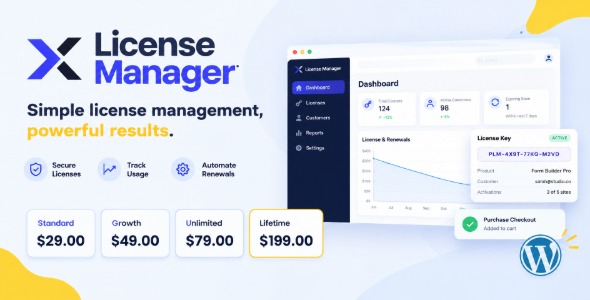
License Manager is a WordPress license management plugin that helps you store, track, and validate software activations in one place. Keep third‑party extensions up to date, reduce support interruptions caused by expired keys, and streamline renewals with clear status visibility across your site. Ideal for developers and agencies managing multiple client installs.
Description
License Manager is a WordPress plugin designed to help you store, organize, and validate license keys for premium themes and plugins used across your site. It solves the common issue of misplacing license information or not knowing whether a key is active when updates are released. Instead of digging through emails or past purchases, you can manage licenses from the WordPress admin in a centralized way.
For WooCommerce stores, Elementor-powered sites, and agencies running multiple builds, it’s useful for keeping license status clear and maintaining smoother update workflows. When paired with a theme or template kit that relies on validated licenses, it helps reduce friction during installation, reactivation, or renewal cycles.
Main Features
- License key storage — Keeps license details in the WordPress dashboard for easy access.
- Activation and deactivation — Lets you enable or disable a license without manual key swapping.
- License status tracking — Shows whether a key is active, expired, or otherwise unavailable.
- Support for multiple licenses — Helps manage several products on the same WordPress installation.
- Product-based organization — Keeps license entries associated with the relevant theme or plugin.
- Admin-friendly interface — Provides a clear UI for managing licenses in the WordPress backend.
- Update readiness — Helps ensure license validity before relying on theme or plugin update flows.
- Streamlined maintenance — Reduces repetitive copy/paste steps during installs or migrations.
Benefits
- Faster license setup — Centralized management cuts time spent locating keys across projects.
- Fewer update interruptions — Clear status helps prevent missed updates due to invalid licenses.
- Better site reliability — Reduces the chance of downtime tied to authentication issues for premium extensions.
- Improved operational clarity — A single view makes it easier for teams to track what’s active.
- Smaller maintenance workload — Streamlined activation/deactivation supports ongoing updates at scale.
Who is it suitable for?
- WooCommerce store owners using premium themes or extensions
- WordPress agencies managing multiple client sites
- Developers deploying Elementor sites with third-party plugins
- Freelancers maintaining several WordPress installs
- Teams handling theme and plugin updates across production environments