LatePoint Role Manager 1.0.0
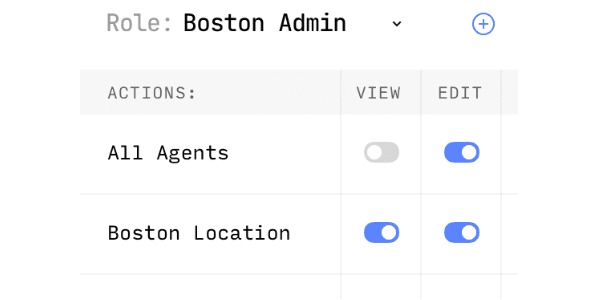
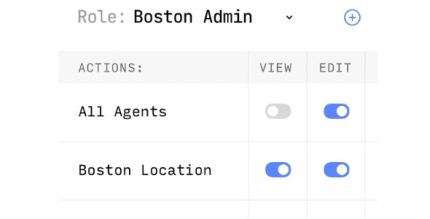
LatePoint Role Manager lets you create custom roles with specific capabilities that grant access to restricted records, perfect for secure collaboration. Easily tailor who can view sensitive data, boosting security and workflow efficiency. Bonus: seamless WordPress integration, intuitive setup, and granular control—start organizing access with confidence.
Description
LatePoint Role Manager is a WordPress plugin that helps you control access to restricted LatePoint records. It lets you create custom roles and assign specific capabilities, so only the right users can view sensitive information. If you collaborate with staff, freelancers, or multiple site users, this plugin solves the problem of overly broad permissions by aligning access with real job responsibilities.
With seamless WordPress integration and an intuitive setup, you can quickly tailor permissions without changing your existing workflow. The result is more secure collaboration, clearer access rules, and a smoother day-to-day experience for teams managing bookings and related data.
Main Features
- Create custom roles — Build new WordPress roles tailored to your organization’s permission structure.
- Assign specific capabilities — Grant only the abilities you choose for each role.
- Access restricted records — Control which roles can view protected LatePoint data.
- Granular permission control — Fine-tune access beyond basic all-or-nothing settings.
- Secure collaboration support — Limit sensitive visibility to authorized team members.
- WordPress-native integration — Works within WordPress role and capability patterns.
- Intuitive configuration — Set up role rules in a straightforward way.
- Clear access boundaries — Define who can access restricted areas without affecting other users.
Benefits
- Improved security — Reduce exposure of sensitive records by restricting access to specific roles.
- Better workflow efficiency — Ensure users can access what they need without unnecessary requests.
- Higher data accuracy — Limit changes and visibility to authorized roles, lowering the chance of mistakes.
- More consistent permissions — Maintain clear access rules across teams and user types.
- Better UX for teams — Users spend less time navigating unavailable or restricted information.
Who is it suitable for?
- WooCommerce store teams managing staff access to related records.
- Appointment booking site owners using LatePoint with multiple staff roles.
- Agencies coordinating access for client teams and internal collaborators.
- Membership or subscription sites with different user permissions.
- Online service businesses that require controlled visibility for sensitive data.