KnowHow 1.2.0 – A Knowledge Base WordPress Theme
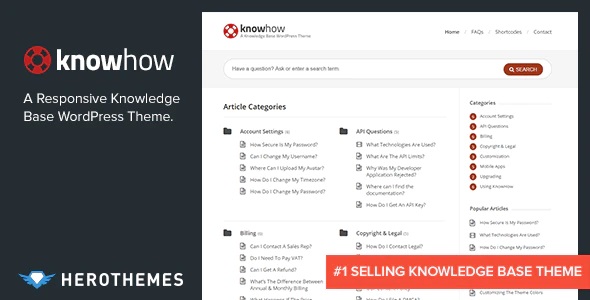
KnowHow helps you set up a knowledge base in WordPress quickly, delivering a fast, searchable resource for customers and reducing support time. It’s the easiest way to provide ongoing self-service and is simple to manage, with clean design and seamless integration that invites users to explore.
Description
KnowHow is a WordPress theme designed to help you build a knowledge base quickly, so customers and readers can find answers without waiting for support. It organizes help content into a clear, browsable structure that encourages self-service.
With a focus on fast discovery, KnowHow makes your articles easy to search and navigate. This reduces repeated questions, lightens support workload, and keeps your information consistently up to date.
Its clean design and seamless WordPress integration make it practical for ongoing documentation, from troubleshooting guides to product FAQs.
Main Features
- Knowledge base layout — Dedicated structure for articles, guides, and documentation-style pages.
- Searchable content — Helps visitors quickly locate answers using WordPress-friendly search.
- Organized categories — Groups articles so users can browse topics logically.
- Clean, readable styling — Clear typography and spacing for comfortable long-form help content.
- Fast, lightweight pages — Focus on responsive, efficient presentation for a smoother user experience.
- Easy WordPress management — Manage knowledge base content using standard WordPress workflows.
- Consistent internal navigation — Encourages users to continue exploring related articles.
- Seamless theme integration — Designed to fit naturally with typical WordPress sites and existing content.
Benefits
- Reduced support load — Less repetitive ticket volume when answers are easy to find.
- Faster problem resolution — Searchable guides help users reach the right article sooner.
- Better user experience — Clear organization and readable design improve self-service journeys.
- Higher conversion readiness — Timely help information supports customers as they evaluate and use your product.
- Content stays current — Simple updates keep documentation accurate over time.
- Improved SEO potential — Well-structured articles and internal discoverability can support search visibility.
Who is it suitable for?
- WooCommerce stores that need product and troubleshooting documentation.
- SaaS platforms documenting features, setup, and workflows.
- Agencies building help centers for multiple client websites.
- Online educators creating course support and FAQs.
- Customer support teams looking to reduce ticket volume.
- Content creators publishing evergreen guides and how-to resources.