
JPS Post Layout 2.0.0 – Addon For WPBakery Page Builder
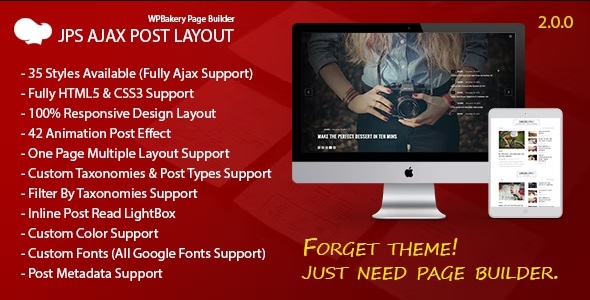
JPS Post Layout is a WordPress addon for WPBakery Page Builder that lets you create stunning post layouts without coding. It offers multiple styles and granular customization to make your blog, portfolio, or news sections pop with drag-and-drop ease. A lightweight, design-forward solution for faster, cleaner layouts—explore today.
Description
JPS Post Layout is a WordPress template kit add-on for WPBakery Page Builder that helps you build polished post and listing layouts without writing code. It’s designed to solve the common problem of generic blog pages by giving you ready-made styles you can adapt quickly. With drag-and-drop workflow inside WPBakery, you can shape how your content is presented—so blog posts, portfolios, and news sections look more intentional and easier to scan. The lightweight, design-forward approach supports faster page creation while keeping your layouts clean and consistent.
Use it when you want better control over the visual structure of post grids and sections, while staying focused on content rather than development.
Main Features
- WPBakery integration — Build and place JPS post layouts directly within the WPBakery Page Builder interface.
- Multiple layout styles — Pick from various predefined post layout designs to match different site aesthetics.
- Granular customization — Adjust layout details to fine-tune spacing, alignment, and visual presentation for each section.
- No-code setup — Create structured post sections without coding skills, using the builder workflow.
- Post-focused design — Tailored for presenting blog posts, portfolio items, or news-style content blocks.
- Lightweight approach — Keep output lean to support faster, cleaner page composition.
- Reusable layout creation — Turn your preferred style choices into consistent layouts across pages and sections.
Benefits
- Stronger visual hierarchy — Improve readability and scanning with layout structure that highlights key content elements.
- More engaging pages — Make blog, portfolio, and news sections look more distinctive to help retain visitor attention.
- Quicker publishing workflow — Assemble post layouts faster through WPBakery’s drag-and-drop editor.
- Consistency across content — Apply the same style logic across multiple posts and sections for a cohesive design.
- Reduced developer dependency — Achieve custom results without relying on custom code for layout changes.
Who is it suitable for?
- WordPress bloggers who want more polished post listings
- Portfolio and creative sites featuring case studies or projects
- News and editorial websites organizing content into clear sections
- Web agencies building multiple WordPress layouts with WPBakery
- Freelancers and marketers updating page designs without coding
- Content creators who need consistent, reusable page templates
