Item Lists Pro for Elementor 1.5.5
Description
Item Lists Pro for Elementor is a WordPress plugin that turns regular bullet points into creative, easy-to-read item lists. Designed for use with Elementor, it helps you present content with smooth, animated typography that improves how information is scanned and understood. Instead of relying on generic widgets, this plugin provides professionally styled list elements you can add directly to your pages. It also solves the “bullet formatting” problem by letting you refine each list quickly while keeping consistent visual design across sections.
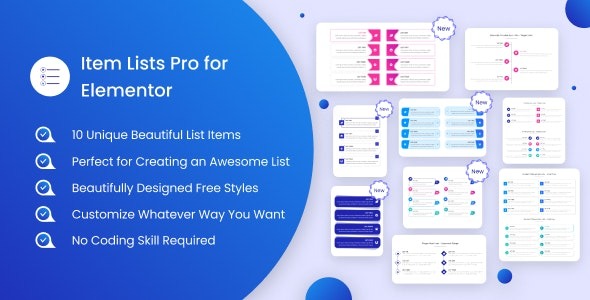
With a bundled set of 10 carefully designed list styles, you can decorate your site with structured layouts for features, steps, benefits, and comparisons. Edits are straightforward: update texts, icons, and descriptions using drag-and-drop in one click.
Main Features
- Elementor-ready list styling — Builds standout item lists inside the Elementor workflow on WordPress.
- Animated typography — Adds smooth, dynamically animated text styling to lists for a more engaging read.
- Bullet-to-item list transformation — Converts traditional bullets into formatted, visually consistent item layouts.
- 10 predesigned item list templates — Provides a ready-to-use pack of 10 list designs to style your pages quickly.
- Drag-and-drop editing — Rearrange and customize list items with an interface built for quick updates.
- Text, icon, and description controls — Edit list content elements directly, including accompanying icons and descriptions.
- Readable, structured presentation — Keeps multi-item content clear with spacing and typography tuned for scanning.
- Designer-friendly customization — Makes it easier to achieve polished list layouts without manual reworking.
Benefits
- Better engagement — Animated typography draws attention to key items and improves time-on-content.
- Higher content clarity — Bullet content becomes structured, making details easier to understand.
- Faster page building — Drag-and-drop, one-click editing reduces the time spent styling list sections.
- More consistent UX — Template-based list designs help maintain uniform formatting across pages.
- Improved visual hierarchy — Icons, descriptions, and typography help users distinguish priorities at a glance.
Who is it suitable for?
- WooCommerce store owners creating feature and product info sections
- Web agencies building Elementor landing pages for clients
- Bloggers and content creators formatting guides, tips, and checklists
- Designers who want cleaner, animated list styling without custom widgets
- Online schools and course sites presenting lesson steps and curricula
- SaaS teams showcasing benefits, integrations, or plan highlights