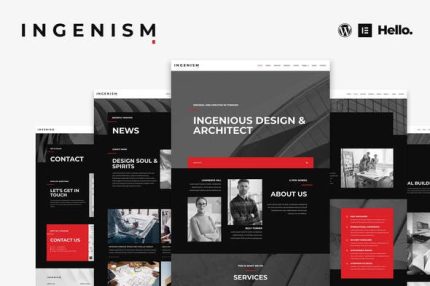
INGENISM – Architectural Design Agency Elementor Template Kit
| Cetegory: | Creative & Design |
|---|---|
| Full Preview: | INGENISM |
| More Info: | Themeforest |
| HOW TO INSTALL |
Description
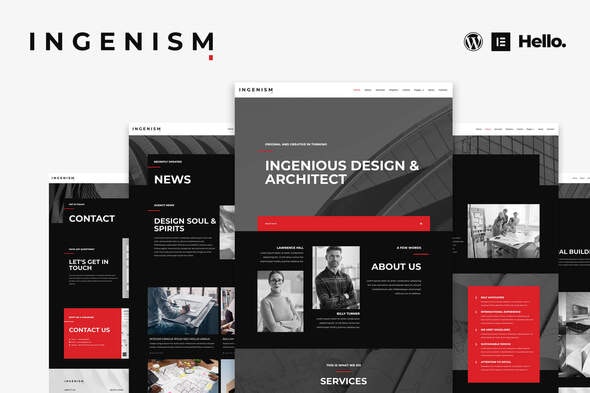
INGENISM is a clean & modern Elementor Template Kit, built specifically for creative agency. Whether its an architect agency, design studio, or photographer, its easy to use the pre-made template pages to quickly build your website. Contains 28 different templates and Global Kit Style.
All templates have been carefully tested on a variety of resolutions and devices to ensure that the display is always perfect. No Elementor Pro version is required, and no paid plugins are required, saving you budget.
Features:
- True zero coding: styles and effects are done within the Elementor panel
- Fully compatible with Elementor free version, NO Elementor Pro required
- Total 28 templates, includes full page templates, useful blocks
- Global theme styles for an easy site-wide style change
- Header and footer builder for flexible layout and design
Pages:
- Home
- About
- Services
- Projects
- Clients
- News
- Contact
- Project Details
- Member Profile
- Single Post
- 404 Page
- Coming Soon
Blocks:
- Header
- Footer
- About
- Services
- More Services
- Features
- Testimonials
- Gallery
- Team Members
- Hero Banner
- Map
- Contact
- Portfolio
- Contact Form
- Subscribe Form
How to Install:
- Install and Activate the Template Kit Import plugin from Plugins > Add New in WordPress
- Do not unzip
- Go to Elements > Installed Kits and click the Upload Template Kit button.
- Before importing a template, ensure the Install Requirements button is clicked to activate required plugins
- For best results, do not import more than one template at a time.
How to import Metforms and content blocks
- Import the metform block templates
- Import the page template where the form appears and right-click to enable the Navigator
- Locate and select the Metform widget and click Edit Form. Choose New, then Edit Form. The builder will appear
- Click Add Template grey folder icon.
- Click My Templates tab.
- Choose your imported metform template, then click Insert (click No for page settings).
- Once the template is loaded, make any desired customizations and click Update & Close The form will appear in the template
- Click Update
Support:
If you need any help, come HERE and message us directly!Images:
This Template Kit uses demo images from Envato Elements. You will need to license these images from Envato Elements to use them on your website, or you can substitute them with your own.- https://elements.envato.com/image-P8SNFYA
- https://elements.envato.com/image-JUMFRYU
- https://elements.envato.com/image-Y9J2YGF
- https://elements.envato.com/image-P2CGCM8
- https://elements.envato.com/image-PKQ2ANT
- https://elements.envato.com/image-5NHGMN3
- https://elements.envato.com/image-QUJLJ5K
- https://elements.envato.com/image-LE9HA22
- https://elements.envato.com/image-BH8AWYC
- https://elements.envato.com/image-7KFBSD2
- https://elements.envato.com/image-PZZ8ZPN
- https://elements.envato.com/image-YCAK3TL
- https://elements.envato.com/image-P9FDQDW
- https://elements.envato.com/image-P5XEVWT
- https://elements.envato.com/image-P78J3HS
- https://elements.envato.com/image-PX22826
- https://elements.envato.com/image-RSHCBJW
- https://elements.envato.com/image-PB4ECGA
- https://elements.envato.com/image-EUJ2759
- https://elements.envato.com/image-PD7MHJA
- https://elements.envato.com/image-PUWA6TP
- https://elements.envato.com/image-M6RF92F
- https://elements.envato.com/image-H4VLHQR
- https://elements.envato.com/image-8X4V44H
- https://elements.envato.com/image-PXTXA7Z
- https://elements.envato.com/image-V58CZLD
- https://elements.envato.com/image-PLEZDRJ
- https://elements.envato.com/image-VA9MN7V