Import Entries for Gravity Forms 1.4.2
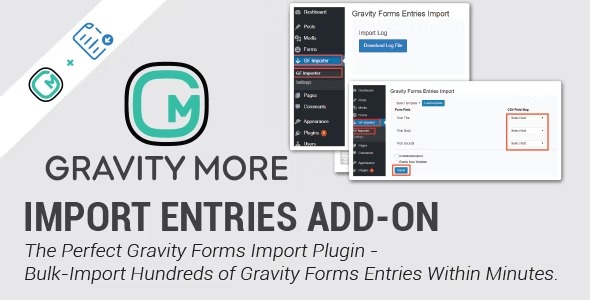
Import Entries for Gravity Forms lets you import hundreds of form entries into Gravity Forms on WordPress, turning CSV uploads into a breeze. Update existing entries by mapping CSV fields to Entry IDs, ensuring your data stays current in minutes. Ideal for seamless mass updates, with straightforward field mapping and reliable integration.
Description
Import Entries for Gravity Forms is a WordPress plugin that helps you move data from CSV files into Gravity Forms. Instead of entering hundreds of records manually, you can import them directly into the correct form and keep everything organized within your Gravity Forms workflow.
It also supports updates: by mapping CSV fields to existing Gravity Forms Entry IDs, you can refresh old records in minutes. This makes mass entry migration and cleanup practical for administrators managing active forms and growing datasets.
Main Features
- CSV import for Gravity Forms — Upload and import large numbers of form entries into your Gravity Form.
- Bulk handling — Import hundreds of entries efficiently to reduce repetitive admin work.
- Field mapping — Match CSV columns to the fields used in Gravity Forms.
- Entry ID based updates — Update existing entries by mapping CSV data to matching Entry IDs.
- Create and update in one workflow — Import new entries while also refreshing previously stored ones.
- Admin-focused process — Perform imports and updates from the WordPress/GF administration area.
- Reliable Gravity Forms integration — Designed specifically as a Gravity Forms extension for consistent entry handling.
Benefits
- Faster data migration — Bulk CSV imports cut down time spent recreating entries by hand.
- Higher data accuracy — Field mapping helps ensure CSV columns land in the correct Gravity Forms fields.
- Up-to-date records — Entry ID updates keep existing submissions current without duplicating entries.
- Better admin workflow — Streamlined importing and updating reduces back-and-forth cleanup.
- Consistent reporting — Maintaining one source of truth in Gravity Forms improves downstream use of entries.
Who is it suitable for?
- WordPress site admins managing Gravity Forms with large entry volumes
- Businesses migrating lead, registration, or survey data from CSV
- Agencies that need repeatable entry import and update workflows across client sites
- Teams maintaining existing submissions (e.g., corrections or data refresh cycles)
- Organizations consolidating form data after audits, imports, or system changes
- Content and operations teams running multiple Gravity Forms for campaigns