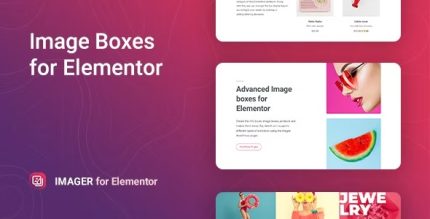
Imager 2.0.5 – Advanced Image-Box for Elementor

Imager is a WordPress plugin that creates animated infoboxes, image boxes, and product showcases with flip and twitch effects. It delivers eye-catching visuals that boost engagement and conversions, thanks to smooth, customizable animations. A lightweight, easy-to-use tool for stunning visuals and seamless site integration—explore today.
Description
Imager is a WordPress plugin that helps you add animated infoboxes, image boxes, and product showcases to your site. It solves the problem of static content by turning key visuals into interactive elements with smooth, customizable motion. With flip and twitch animation effects, your layouts can feel more responsive and engaging without changing your overall design approach.
Designed to be lightweight and easy to use, Imager fits into WordPress workflows so you can enhance pages where images, features, or products need extra attention. Whether you’re presenting highlights or showcasing items, animated boxes can improve how visitors experience your content and calls to action.
Main Features
- Animated infoboxes — Create content boxes that animate to draw attention to important information.
- Image box effects — Apply motion to image containers for a more dynamic gallery or feature layout.
- Product showcase animations — Present product-focused visuals with animated styling for clearer emphasis.
- Flip animation — Use a flip effect to make boxes rotate and reveal visual transitions.
- Twitch animation — Add quick twitch-style movement for eye-catching micro-interactions.
- Customizable animation settings — Adjust motion behavior to match your site’s visual rhythm.
- Smooth visual transitions — Keep animations fluid to maintain a polished user experience.
- Lightweight plugin design — Add motion features without unnecessary bloat.
Benefits
- Higher engagement — Animated infoboxes and image boxes encourage visitors to notice and interact with content.
- Better clarity — Product showcases make key items stand out, improving content scanning.
- Improved UX — Smooth motion reduces the feel of static pages and supports a modern layout.
- More effective CTAs — When visuals animate at the right moments, users are more likely to continue browsing.
- Flexible presentation — Multiple animation styles (flip and twitch) help tailor visuals to different page sections.
Who is it suitable for?
- WordPress site owners who want animated content sections.
- Creative teams building landing pages with visual emphasis.
- E-commerce storefronts showcasing products with interactive visuals.
- Agencies creating consistent animations across multiple client sites.
- Bloggers and content creators who want more engaging image presentations.