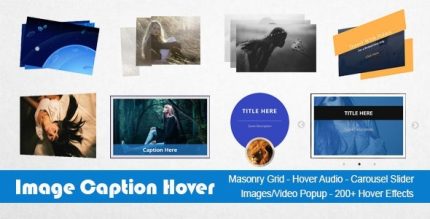
Image Caption Hover Pro 20.1

Description
Image Caption Hover Pro is a lightweight WordPress plugin that helps you display images with animated captions and hover effects across your site. It solves the “flat” look of image galleries by adding interactive motion, captions on hover, and optional audio to reinforce your message. Whether you’re building a portfolio, product-style grid, or content layout in WordPress with popular page builders like Elementor, you can enhance visuals without complex code.
The plugin supports multiple responsive layouts (Masonry, Simple, and Bootstrap grids) and provides mobile-friendly touch behavior for iOS and modern browsers like Safari. You can also pair hover visuals with popups and sliders for richer UX while staying compatible with your WordPress theme setup.
Main Features
- 200+ hover effects — Choose animated caption and image hover styles from a large effects collection.
- Audio on hover — Play music or sound when visitors hover over images to add an extra sensory layer.
- Animated captions — Attach captions to images and animate their appearance during hover interactions.
- Responsive Masonry grid — Display image tiles in a Masonry-style layout with configurable columns and mobile adjustments.
- Simple grid layout — Use a straightforward grid option for clean galleries with adjustable column counts.
- Bootstrap grid system — Build responsive rows and columns using a Bootstrap-inspired structure for flexible design.
- Mobile touch controls — Configure how hover-style interactions behave on touch devices.
- Carousel slider option — Present portfolios, feedback, logos, or profiles with hovered captions in a slider format.
- Image and video popups — Open media overlays using PrettyPhoto or Magnific Popup.
Benefits
- Improved engagement — Hover animations and captions encourage visitors to interact with your images.
- Better on-page storytelling — Audio on hover and caption effects help communicate context without adding clutter.
- Higher conversion potential — More compelling galleries can support stronger calls to action for products and services.
- Seamless mobile UX — Touch behavior settings help maintain usable interactions on smartphones and tablets.
- Flexible layout choices — Masonry, Simple, Bootstrap, and carousel formats help you match different content types.
- Enhanced visual variety — Popups for images and video create richer browsing experiences without leaving the page.
Who is it suitable for?
- WooCommerce stores showcasing product categories or featured media
- Portfolios, agencies, and creative studios presenting work with hover captions
- Bloggers and content creators who want interactive galleries
- Websites built with Elementor or custom WordPress theme layouts
- Landing pages needing responsive grids, sliders, and media popups
- Online directories and community pages featuring profiles, logos, or testimonials