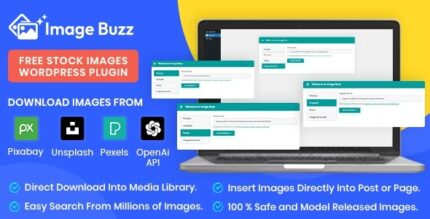
Image Buzz 1.0.3 – Free Stock Images WordPress Plugin

Image Buzz delivers high-quality, free stock images directly within Wordpress, making posts faster and more engaging. Save time, improve visuals, and boost your site's appeal with seamless Wordpress workflow. Ideal for bloggers needing stunning imagery without leaving the dashboard.
Description
Image Buzz is a WordPress plugin that delivers high-quality free stock images directly inside your admin workflow. Instead of searching, downloading, and re-uploading media elsewhere, you can find strong visuals and place them in your posts faster. It helps solve the common problem of slow content creation caused by sourcing images manually.
With Image Buzz, your WordPress blog stays more engaging because every post can include appealing, relevant imagery without breaking your publishing routine. The plugin is designed for creators who want polished visuals while working entirely within the WordPress dashboard.
Main Features
- In-dash access to free stock images — Browse a selection of free stock photos without leaving WordPress.
- Insert images while creating content — Add visuals to your posts directly from the editor experience.
- Time-saving image sourcing — Reduce steps like searching, downloading, and re-uploading files manually.
- High-quality visuals — Use professionally prepared images to improve the look of your pages.
- Better visual consistency — Keep your media style aligned across posts by selecting from one library.
- Works within the WordPress workflow — Designed to fit your standard WordPress publishing process.
- Supports content-focused publishing — Ideal for blog posts that need images to complement text quickly.
Benefits
- Faster publishing — Shortens the time from drafting to publishing by streamlining image selection.
- Higher engagement — More appealing posts can increase reader attention and time on page.
- Better UX — Clean, relevant imagery improves readability and supports the story of your content.
- SEO image support — Helps you consistently include media that can strengthen on-page relevance.
- Easier content management — Keeps your workflow in WordPress, reducing switching between tools.
Who is it suitable for?
- WordPress bloggers who publish regularly
- Content creators who need strong visuals for articles
- Marketing teams managing a WordPress website
- Agencies producing content for multiple clients
- Small business sites using WordPress for updates and posts
- Online publishers building editorial-style pages