HT Menu Pro 1.0.12 – WordPress Mega Menu Builder for Elementor
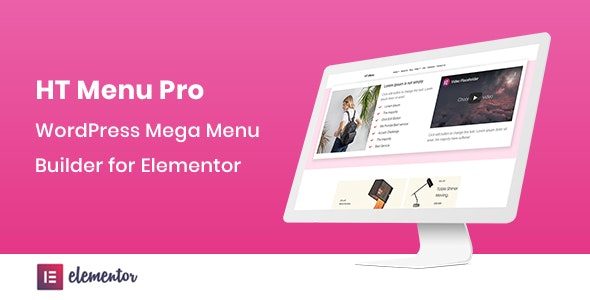
HT Menu Pro is a WordPress mega menu builder for Elementor that lets you insert Elementor templates into your menus and tailor each sub-menu position and width. It delivers precise control, colorful icons, badges, and easy theme integration for a polished, user-friendly navigation. Ideal for designers who want fast, visually rich menus without code.
Description
HT Menu Pro is a WordPress mega menu builder plugin designed for Elementor. It helps you build richer, multi-column navigation by placing Elementor templates inside your menus. Instead of being limited to basic dropdowns, you can tailor each menu item’s layout, including sub-menu position and width, for cleaner organization. With icon pickers, colored icons, and customizable badges, you can communicate priorities at a glance. For designers, it streamlines creating polished navigation without code while staying aligned with your theme’s look.
Use HT Menu Pro in Elementor-based WordPress sites to create visually engaging menus that improve browsing flow, especially when your navigation includes multiple categories and sections.
Main Features
- Elementor template under a menu — Add a selected Elementor template directly to a menu item for mega menu content.
- Individual menu width control — Set custom width for specific menu items to match your layout needs.
- Sub-menu position control — Control where each sub-menu appears relative to its parent menu item.
- Icon picker for menu items — Choose icons for menu entries to make navigation more scannable.
- Icon color styling — Apply color to menu icons for consistent visual hierarchy.
- Menu badge support — Add badges to menu items for highlights like new, featured, or important sections.
- Badge color options — Customize badge text color to maintain readability across themes.
- Badge background color — Adjust badge backgrounds to better match your site branding.
- Mega menu building with Elementor layouts — Use Elementor page builder components to create structured, template-driven menu dropdowns.
Benefits
- Better UX navigation — Clear sub-menu positioning and widths help users find content faster.
- More engaging menu visuals — Icons and badges improve scanning and make key links stand out.
- Consistent design language — Color controls and template-based layout help align menus with your existing Elementor styling.
- Higher conversions — Prominent menu highlights guide visitors toward important pages and categories.
- Faster page iteration — Update menu content by reusing Elementor templates without custom code.
Who is it suitable for?
- WordPress designers building Elementor-based websites
- Web agencies creating navigation for multiple client projects
- WooCommerce store owners who want clearer category paths
- Blog and content sites with many top-level sections
- Landing page and marketing site creators using template-driven layouts
- Online service websites that need prominent “important” links