Horizon 3.2 – Menu Bar Plugin for WordPress
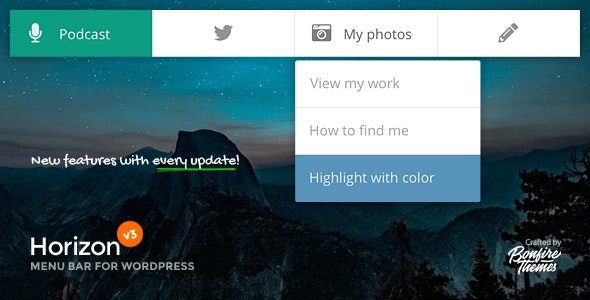
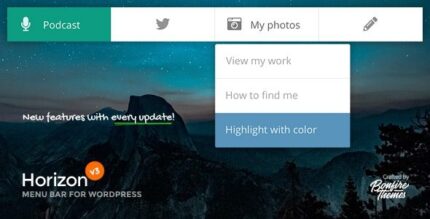
Horizon is a unique, minimal horizontal menubar for WordPress that can serve as primary or secondary navigation, placed at the top or bottom of the screen. It improves navigation clarity and user flow, with easy color customization and per-post/page menu overrides for maximum flexibility. A sleek, lightweight design that invites exploration.
Description
Horizon is a minimal horizontal menubar plugin for WordPress that adds a clean navigation strip to your site. It can work as primary navigation or as secondary navigation, giving visitors an intuitive way to move through content. The menubar can be positioned at the top or bottom of the screen to match your layout goals.
By keeping the design sleek and lightweight, Horizon helps reduce visual clutter while supporting smooth user flow. You can also adjust colors to align with your WordPress theme and override menus on a per-post or per-page basis when different navigation is needed.
Main Features
- Horizontal menubar layout — Displays navigation in a streamlined horizontal format for easier scanning.
- Primary or secondary navigation — Use Horizon as the main site menu or an additional navigation layer.
- Top or bottom placement — Position the menubar at the top or bottom of the screen.
- Theme-ready integration — Can be added to essentially any WordPress theme for broad compatibility.
- Color customization — Customize the menubar colors to better match your theme styling.
- Per-post/page menu overrides — Show different menus on specific posts or pages without changing global navigation.
- Flexible menu targeting — Apply overrides selectively for content sections like landing pages or special posts.
- Sleek, lightweight design — Keeps the navigation unobtrusive while supporting exploration.
Benefits
- Clearer navigation — A minimal horizontal bar improves wayfinding across key pages.
- Better user flow — Top/bottom placement supports natural browsing habits without forcing a layout change.
- More relevant menus — Per-post/page overrides help visitors reach the most useful links for each page.
- Improved UX consistency — Color customization keeps navigation visually aligned with the rest of your WordPress theme.
- Lower visual clutter — Lightweight styling helps content stay the focus while navigation remains accessible.
Who is it suitable for?
- Business and portfolio websites using WordPress themes with custom menus
- Blog and content sites that need different navigation for specific posts or pages
- Landing-page driven marketing sites requiring page-specific menu behavior
- Agencies building multiple WordPress client sites who want consistent navigation options
- Websites seeking a cleaner header or footer navigation experience