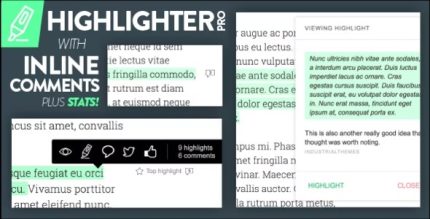
Highlighter Pro 1.2 – A Medium.com-Inspired Text Highlighting and Inline Commenting Tool for WordPress
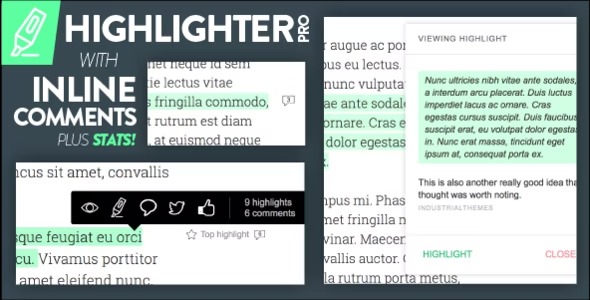
Highlighter Pro is a WordPress plugin that lets you highlight text directly on the page and add inline notes and comments. It speeds up collaboration and improves readability by keeping ideas in context. With a clean design and seamless integration, it’s easy to use and invites you to explore more.
Description
Highlighter Pro is a WordPress plugin that helps you mark up content by highlighting text directly on the page. Instead of using separate documents or long comment threads, you can add inline notes and comments tied to the exact passage.
It solves the common collaboration problem of “losing the context” when reviewing copy, layouts, or documentation. By keeping feedback next to the text it refers to, the review process becomes clearer and easier to follow.
With a clean, user-friendly interface and smooth WordPress integration, Highlighter Pro makes it simple to move from reading to feedback without switching tools or reorganizing ideas.
Main Features
- Inline text highlighting — Select and highlight text directly on your WordPress page content.
- Notes attached to highlights — Add explanations that remain connected to the highlighted section.
- Inline comments on marked text — Discuss specific parts of the content where the change is needed.
- Context-first markup — Keep feedback anchored to the exact words being reviewed.
- Clean highlight UI — Use a clear visual style that supports readability while reviewing.
- Easy to use workflow — Highlight, comment, and review without complex setup.
- Seamless WordPress integration — Designed to fit naturally into WordPress content review.
Benefits
- Faster collaboration — Reduce back-and-forth by placing feedback directly on the relevant text.
- Better UX for reviewers — Make reviews easier to scan with highlights that show what to address.
- Higher clarity — Improve understanding by linking comments to the exact content being discussed.
- Improved readability — Maintain a clean, focused presentation while reviewing changes.
- More organized feedback — Streamline review notes so ideas stay in context over time.
Who is it suitable for?
- WordPress site owners reviewing page copy and layouts.
- Content teams collaborating on drafts and revisions.
- Agencies providing feedback across client pages and posts.
- Editors and proofreaders marking up text for improvement.
- Marketing teams preparing campaign landing content.
- Blog authors coordinating review notes with contributors.