Highlighted headings for Elementor 1.0.6
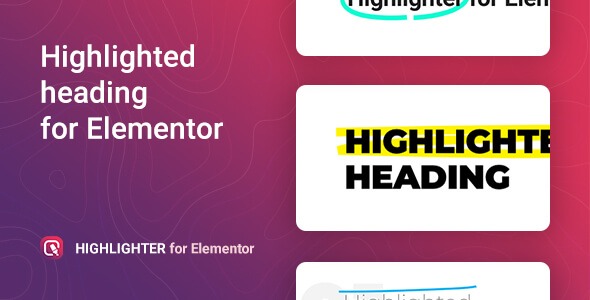
Highlighted headings for Elementor is a WordPress widget that lets you create eye-catching post and page titles with unique animations. It helps your headings stand out, boosting readability and engagement across your site. It offers easy integration, stylish designs, and precise control over animation to captivate visitors—start highlighting your titles today.
Description
Highlighted headings for Elementor is a WordPress widget designed to make your post and page titles stand out with animated highlights. If your headings blend into the layout, this widget helps you improve readability by drawing attention to key words and phrases. Built for use inside Elementor, it’s a practical way to add visual focus across landing pages, blog posts, and other template-driven layouts. With its animation approach, you can emphasize either specific words or the full title to better match your page goals.
By integrating directly with Elementor’s editor workflow, you can style titles without complex setup. The result is a more engaging reading experience that supports modern on-page presentation.
Main Features
- Elementor widget for headings — Add highlighted, animated titles to Elementor page and post layouts.
- Animate specific words — Apply the highlight animation to selected words within a heading.
- Animate the full title — Use the animation on the entire heading when you want a stronger emphasis.
- Unique original animation — Uses a distinctive animation style to make the highlight visually noticeable.
- Stylistic highlighted text — Create a focused look that improves contrast between key text and the surrounding heading.
- Precise animation control — Adjust how the animation is applied to the highlighted content for consistent results.
- Seamless WordPress integration — Works within the WordPress + Elementor workflow for editor-based building.
- Works with different templates — Suitable for use in landing pages, blog layouts, and Elementor template kits.
Benefits
- Higher engagement — Help visitors notice important headings faster, improving time on page and interaction.
- Better readability — Highlighted animation creates clearer visual structure for skimming users.
- Stronger messaging — Emphasize key words to reinforce your main topic or call-out details.
- More polished UX — Consistent heading presentation supports a cleaner, more professional layout.
- Content emphasis for SEO — Clear title focus can improve perceived page relevance when users scan results.
Who is it suitable for?
- WooCommerce stores using Elementor landing pages
- Blogs and magazine-style WordPress sites
- Agencies building client pages with Elementor
- Content creators publishing frequent post and page updates
- Teams creating marketing pages from Elementor template kits
- Online learning sites that need clear lesson and course headings