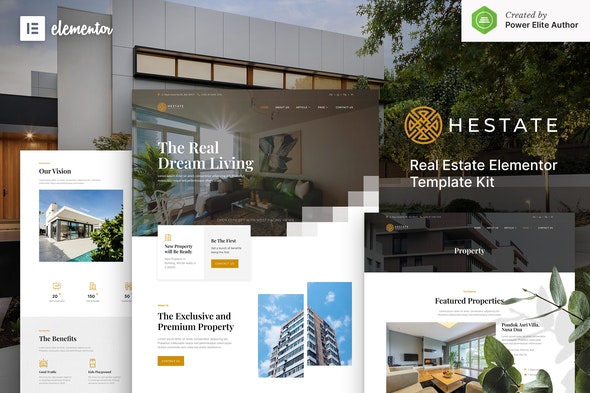
Hestate – Real Estate Elementor Template Kit
| Cetegory: | Real Estate & Construction |
|---|---|
| Full Preview: | Hestate |
| More Info: | Themeforest |
| HOW TO INSTALL |
Description
Hestate is a fully-featured Elementor Template Kit created especially for Real Estate, Property Agencies, Architecture, Apartment Business, Interior Designer, and Furniture websites. This template has a beautiful and unique design with a 100% responsive layout, retina-ready, and easy to customize.
This template kit includes stunning carefully crafted 15+ stunning templates, you can build your professional website just a click away.
Features:
- Using Free Plugins (Elementor Pro is not required)
- Modern, Classic & Clean Design
- 14+ Ready to use templates
- Fully Responsive Layout
- Retina Ready
- Fully Customizable
- Cross Browser Compatibility: Chrome, Firefox, Safari, Opera
Templates Include:
- Home
- About Us
- Service
- Property List
- Property Detail
- News
- Single Post
- Agent
- FAQ
- 404 Page
- Contact Us
- Metform Contact Us
- Header
- Footer
- Global Theme Style
Required Plugin:
- Elementor
- ElementsKit Lite
- Metform
- Jeg Elementor Kit
How to Install:
- Install and Activate the Envato Elements plugin from Plugins > Add New in WordPress
- Do not unzip
- Go to Elements > Installed Kits and click the Upload Template Kit button.
- Before importing a template, ensure the Install Requirements button is clicked to activate required plugins
- For best results, do not import more than one template at a time.
How to import Metforms and content blocks
- Import metform templates
- Import the template where the form or slide appears, then click View Template to load in the builder
- Right click the page to open the Navigator and locate the Metform widgets
- Click New, leave blank selected then click Edit Form button
- Click Add Template grey folder icon.
- Click My Templates tab.
- Choose your imported metform template, customize, then click Insert.
- Once the template is loaded, click Update.
Changelog & Update History
v1.0.1 (19/05/2021)
- Fix single post template
v1.0.0 (18/02/2021)
Initial release
Notes:
This Template Kit uses demo images from Envato Elements. You will need to license these images from Envato Elements to use them on your website, or you can substitute them with your own.- https://elements.envato.com/image-E3A7NAJ
- https://elements.envato.com/image-P38X9BL
- https://elements.envato.com/image-Z53XFYH
- https://elements.envato.com/image-JVP2HKE
- https://elements.envato.com/image-PDFSMBK
- https://elements.envato.com/image-P3E47EA
- https://elements.envato.com/image-BUEGSAN
- https://elements.envato.com/image-JD5CJPP
- https://elements.envato.com/image-S2DVGUT
- https://elements.envato.com/image-PNAGH86
- https://elements.envato.com/image-PULDYE5
- https://elements.envato.com/image-5M9UK5P
- https://elements.envato.com/image-S979A9Q
- https://elements.envato.com/image-L722PUH
- https://elements.envato.com/image-4CKHN58
- https://elements.envato.com/image-X485UQ8
- https://elements.envato.com/image-6S9LG4C
- https://elements.envato.com/image-C8VH66F
- https://elements.envato.com/image-9YVQAWK
- https://elements.envato.com/image-WPQMT9L
- https://elements.envato.com/image-7TM92JR
- https://elements.envato.com/image-Y94MVRG
- https://elements.envato.com/image-5X9DUPV
- https://elements.envato.com/image-PF3Q7B4
- https://elements.envato.com/image-SJYHPDB
- https://elements.envato.com/purxious-signature-GDYV9E4
- https://elements.envato.com/image-BQA8QZC
- https://elements.envato.com/image-8DHXD4V
- https://elements.envato.com/logo-circle-cross-infinity-loop-labyrinth-maze-FJ4V9H