Gravity Sheets 5.0 – Gravity Forms Google Spreadsheet Addon
Gravity Sheets automatically saves Gravity Forms entries into Google Sheets, letting you store multiple forms across multiple sheets with one setup. It provides centralized, live data that's easy to analyze and supports unlimited forms and sheets. A lightweight WordPress plugin with seamless integration—explore today.
Description
Gravity Sheets is a lightweight WordPress plugin that connects Gravity Forms with Google Sheets. It automatically saves every Gravity Forms submission into your chosen spreadsheet, adding a new row after each form is submitted.
Instead of exporting entries manually, you can store multiple forms and route them to multiple sheets from a single setup. This creates centralized, live data that’s easier to review and analyze directly in Google Sheets.
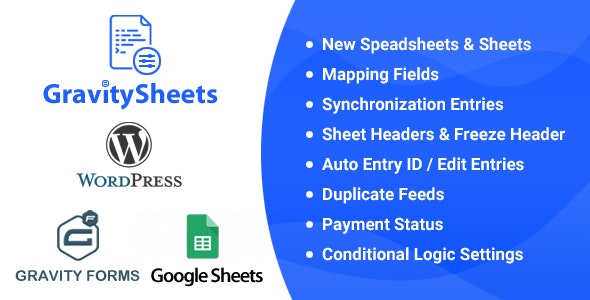
Main Features
- Automatic entry sync — Pushes Gravity Forms submissions into Google Sheets as new rows.
- Multiple form support — Add any number of Gravity Forms to the same integration.
- Multiple sheet mapping — Send entries from different forms into selected sheets within one or more spreadsheets.
- Configurable in plugin settings — Choose target sheets where submission data will be written.
- Centralized spreadsheet storage — Keeps your form submissions organized in one place for easier access.
- Unlimited forms and sheets — Scale your setup as your site and reporting needs grow.
- Seamless Gravity Forms integration — Designed specifically for Gravity Forms entry handling in WordPress.
- Lightweight WordPress plugin — Focuses on reliable data transfer without unnecessary complexity.
Benefits
- Faster reporting — Get live submission data in Google Sheets for quicker review.
- Less manual work — Reduce exports and copy/paste processes by automating entry storage.
- Clearer organization — Keep different forms separated into the right sheets for cleaner analysis.
- Better data accuracy — Eliminate human steps that can introduce errors in tracking submissions.
- Higher operational scalability — Easily manage expanding form libraries as you add more sheets and forms.
Who is it suitable for?
- WordPress sites using Gravity Forms for lead capture and contact requests.
- Teams that want submission reporting in Google Sheets.
- Agencies managing multiple client forms and data workflows.
- Businesses that run several campaigns and need organized tracking.
- Organizations collecting registrations, applications, or inquiries through Gravity Forms.
- Non-technical site administrators who prefer spreadsheet-based data analysis.