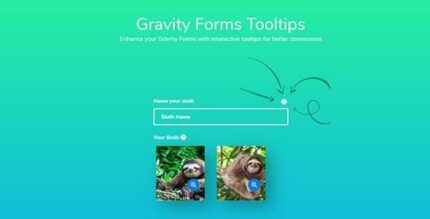
Gravity Forms Tooltips 1.2.16

Gravity Forms Tooltips lets you add dynamic tooltips to Gravity Forms fields, boosting clarity and form completion for your users. With a simple per-field content editor and customizable color, size, and position, this WordPress plugin integrates smoothly to tailor messaging and boost conversions while keeping your design cohesive.
Description
Gravity Forms Tooltips is a WordPress plugin designed to improve how your Gravity Forms fields communicate with users. It lets you add dynamic tooltips that clarify labels, instructions, and input expectations right where visitors need them. Instead of forcing users to search for help, tooltips provide on-hover guidance that can reduce confusion and form errors. You can tailor tooltip text per field, and match the styling to your site’s UI.
With a simple per-field content editor and customizable tooltip appearance, this add-on helps you keep messaging consistent across your Gravity Forms while supporting smoother completion. It’s a practical way to make form UX more understandable and conversion-focused without changing your form structure.
Main Features
- Per-field tooltip content editor — Add unique tooltip text to individual fields within each Gravity Form.
- Dynamic settings screen — Configure tooltip behavior from a dedicated Gravity Forms Tool Tips interface.
- Customizable tooltip color — Adjust tooltip color to align with your WordPress design and brand palette.
- Configurable tooltip size — Control the tooltip size for readability across different layouts.
- Tooltip position control — Set where tooltips appear relative to each field.
- Works with Gravity Forms fields — Display guidance directly for the fields users interact with.
- Field-specific messaging — Provide tailored instructions for complex forms without using generic help text.
Benefits
- Better form clarity — Improves understanding by surfacing instructions next to the exact input.
- Higher completion rates — Reduces errors caused by unclear field requirements.
- Improved user experience — Keeps help available on demand without cluttering the form layout.
- Consistent design — Color, size, and position settings help tooltips blend with your existing UI.
- More effective field guidance — Field-specific tooltips make complex forms easier to navigate.
Who is it suitable for?
- WooCommerce and service sites using Gravity Forms for lead capture or checkout-related inquiries.
- Blog and landing-page owners who collect submissions and want clearer instructions.
- Web agencies building WordPress forms for multiple clients.
- Marketing teams running campaigns with Gravity Forms that need better UX.
- Nonprofits and education organizations collecting detailed applications.
- Anyone managing complex Gravity Forms with multiple fields and requirements.