Gravity Forms HighLevel 0.1.0-alpha.1
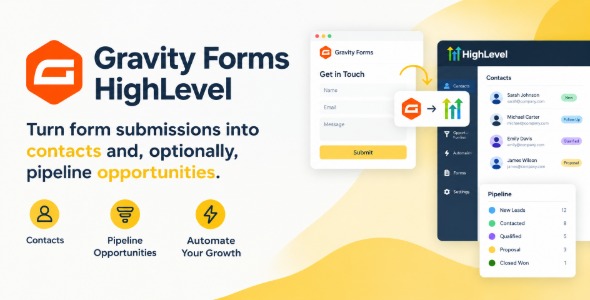
Gravity Forms HighLevel is a WordPress CRM integration plugin that connects Gravity form submissions with GoHighLevel, automatically creating or updating leads. Reduce manual follow-ups, capture new entries in real time, and keep funnel data consistent for reporting. Ideal for marketing teams using GoHighLevel to streamline lead-to-customer workflows.
Description
Gravity Forms HighLevel is a WordPress plugin that connects Gravity Forms submissions to HighLevel (GoHighLevel) so new leads and contact data can flow into your CRM and automation workflows automatically. It helps eliminate manual copy-and-paste between your form pages and HighLevel, reducing delays and data mismatches. Whether your forms are embedded in a theme or built into page layouts with Elementor, this integration keeps your lead pipeline consistent from the moment a visitor submits. It’s a practical way to bridge WordPress lead capture with HighLevel’s marketing and follow-up features.
Main Features
- HighLevel API connection — Links your WordPress site to HighLevel so form data can be sent to the right account.
- Form field mapping — Maps Gravity Forms inputs to corresponding HighLevel contact or lead fields.
- Submission-to-HighLevel sync — Transfers data when a Gravity Form is successfully submitted.
- Lead creation in HighLevel — Sends submitted details to HighLevel for lead intake based on your configured settings.
- Tag and attribute support — Passes values from form fields to help categorize leads in HighLevel.
- Configurable form-to-destination behavior — Lets you control how specific forms and fields are handled by the integration.
- Reliable automation handoff — Ensures HighLevel receives up-to-date submission data for downstream workflows.
- Works with existing WordPress layouts — Fits into sites using Elementor, landing page templates, or any WordPress theme layout that uses Gravity Forms.
Benefits
- Faster follow-up — New inquiries reach HighLevel quickly, improving response times.
- Higher conversion rates — Timely CRM capture supports more consistent lead nurturing and conversion.
- Cleaner CRM data — Field mapping reduces missing or incorrectly entered information.
- Less admin work — Automates the transfer of form submissions so teams spend less time on manual entry.
- Better conversion-focused UX — Visitors complete a Gravity Form knowing their details will be processed immediately, improving perceived reliability.
Who is it suitable for?
- WordPress businesses that use Gravity Forms to capture leads
- HighLevel (GoHighLevel) users who want to sync CRM intake from WordPress
- Agencies building client landing pages with Elementor and form embeds
- Local services that rely on contact forms for bookings and inquiries
- Ecommerce brands using WooCommerce plus Gravity Forms for quote requests or callbacks
- Online course and membership sites that route signups into automated follow-ups