
Gravity Forms GP Sliders 1.0.10
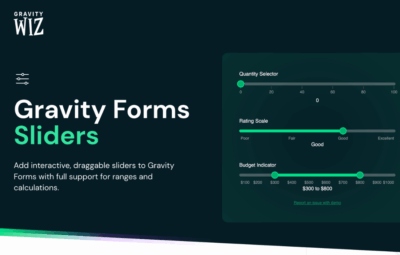
Gravity Forms GP Sliders adds interactive, draggable sliders to Gravity Forms with full support for ranges and calculations. This WordPress plugin boosts form engagement and data accuracy by capturing precise input with a sleek, easy-to-use interface.
Description
Gravity Forms GP Sliders is a WordPress plugin that adds interactive, draggable slider controls to Gravity Forms. Instead of typing values into small input fields, users can select numbers by moving a slider, making numeric questions easier to complete. It’s designed to solve common issues with manual entry, including typos and imprecise ranges. With full support for ranges and calculations, slider inputs can feed directly into Gravity Forms workflows and computed fields.
For teams building form-driven pages, this helps keep responses consistent while improving overall form engagement. The result is a smoother user experience and cleaner submission data that matches the logic your Gravity Forms setup expects.
Main Features
- Draggable slider inputs — Interactive controls let users choose values by dragging handles.
- Gravity Forms integration — Works directly with Gravity Forms form fields and submission flow inside WordPress.
- Range support — Slider inputs handle range-style values so you can collect min–max numeric responses.
- Calculations compatibility — Slider values support Gravity Forms calculations and computed results.
- More precise data capture — Reduces manual typing errors for numeric and range-based inputs.
- Sleek, easy-to-use UI — Provides a clean, user-friendly way to complete numeric questions in the form.
Benefits
- Higher engagement — Users are more likely to complete numeric fields when interaction feels quick and intuitive.
- Better accuracy — Dragging-based input helps minimize typos and improves data reliability.
- Stronger calculation results — Values derived from sliders remain consistent for downstream Gravity Forms computations.
- Simplified UX — A clearer input method can reduce friction compared with small text or numeric fields.
- Cleaner form data — Submissions are more uniform, improving how you analyze and use collected information.
Who is it suitable for?
- Gravity Forms-based WordPress sites that collect numeric inputs
- WooCommerce stores using Gravity Forms for quotes, inquiries, or configuration
- Agencies and freelancers building form workflows for clients
- Websites that rely on Gravity Forms calculations and computed fields
- Lead generation and contact pages that need more accurate range responses