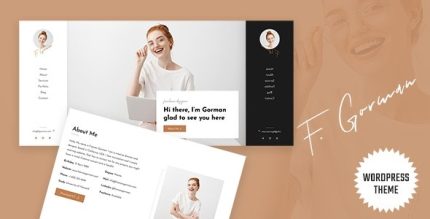
Gorman 2.1.0 – Personal Portfolio WordPress Theme

Gorman stands out as a minimal, clean design for WordPress, ideal for designers, photographers, and creatives to showcase work beautifully to clients. It offers a sleek pinned vertical menu and full customization, delivering a responsive, device-perfect experience across laptops, tablets, and mobiles. A stylish, easy-to-use solution for presenting portfolios with standout design—explore it today.
Description
Gorman is a minimal, clean, modern WordPress theme built for designers, photographers, and creatives who want to present their work clearly to clients. It solves the common portfolio problem of making pages look polished without complex setup. With its sleek pinned vertical menu, visitors can browse your sections naturally while your content stays in focus. The theme is fully customizable, so you can shape the look and feel to match your style and projects. Responsive design ensures the layout looks great on laptops, tablets, and mobiles.
Main Features
- Minimal, clean design — Uses a streamlined layout that keeps attention on your visuals and content.
- Pinned vertical menu — Keeps navigation visible as users scroll for smoother browsing.
- Black-and-white menu styling — Provides a sleek, modern look that complements creative portfolios.
- Full theme customization — Lets you edit each and every part to match your needs.
- Responsive across devices — Delivers a device-perfect experience on desktops, tablets, and mobiles.
- Client-friendly presentation — Organizes your work in a way that’s easy to review and share with clients.
- Modern, attractive layout — Maintains a contemporary feel suitable for creative industries.
Benefits
- Clear portfolio viewing — Minimal styling helps visitors focus on your images and project information.
- Smoother navigation — The pinned menu supports easier section switching during scroll.
- Brand consistency — Customization options help you align the theme’s look with your creative direction.
- Better mobile experience — Responsive design improves readability and usability on phones and tablets.
- Faster updates — Being able to edit theme parts makes it easier to refresh your portfolio over time.
Who is it suitable for?
- Photographers building a client-ready portfolio
- Designers showcasing visual work and case studies
- Creative freelancers needing a clean presentation layout
- Agency teams presenting multiple designer/brand collections
- Personal websites for artists and visual storytellers
- Studios looking to keep navigation effortless and content prominent