Google Maps Addon For Elementor 1.0.1
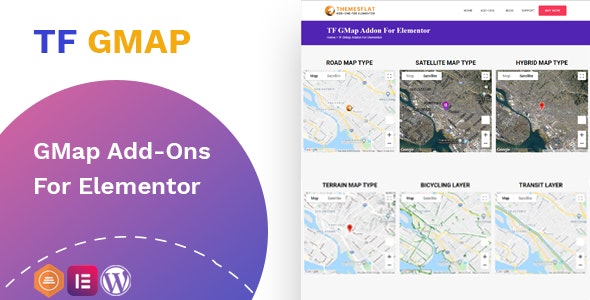
Google Maps Addon For Elementor lets you design limitless, fine-tuned maps directly in Elementor, turning any page into a location-driven experience. Create stunning maps with easy configuration and 50 color styles (plus unlimited color options) to match your brand, plus built-in features like street view and markers. A smart choice for Wordpress users seeking easy, flexible mapping.
Description
Google Maps Addon For Elementor is a WordPress plugin that helps you design highly customized Google Maps directly inside Elementor. Instead of relying on basic embeds, you can build location-focused sections for any page with fine-tuned settings and visual control.
With straightforward configuration for map behavior and controls, it’s easier to create consistent map experiences across your site. The addon also supports multiple visualization options, including street view and markers, so your pages can guide visitors to the right place more clearly.
Use it with Elementor and your existing WordPress theme to turn contact, store, or service pages into map-driven layouts that fit your branding.
Main Features
- Elementor map builder — Design Google Maps directly within the Elementor editor.
- Unlimited map design — Create flexible map layouts tailored to different pages.
- Map type configuration — Choose the map type to match your page design and context.
- Interaction controls — Configure options such as scroll wheel behavior and navigation controls.
- Transport layers — Enable bicycling and transit views when relevant for users.
- Street View support — Display street view for more location-oriented browsing.
- Marker placement — Add markers to highlight specific places on the map.
- 50 built-in color styles — Apply predefined color schemes for faster customization.
- Unlimited custom colors — Adjust colors beyond the included presets to match your brand.
Benefits
- Better page UX — Turn static pages into interactive, location-driven experiences.
- Higher conversions — Make it easier for visitors to find and act on addresses and locations.
- Stronger brand consistency — Use color styles that align with your theme and design system.
- More control — Fine-tune controls and layers like transit, bicycling, and street view.
- Faster publishing — Configure maps quickly in Elementor without extra embedding steps.
Who is it suitable for?
- WooCommerce stores with physical locations or pickup points.
- Business websites that need clearer directions on contact pages.
- Real estate, hospitality, and local service providers.
- WordPress agencies building client Elementor layouts.
- Content teams creating location pages, event pages, or venue guides.