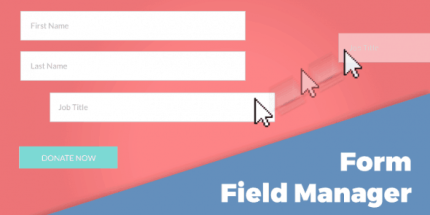
Give Form Field Manager 3.2.1

Give Form Field Manager unlocks seamless customization for your donation forms by adding and arranging extra fields with an intuitive drag-and-drop interface in Wordpress. Effortlessly tailor donor data collection to boost conversions, while powerful integration and a clean UI make setup a breeze.
Description
Give Form Field Manager (FFM) is a WordPress plugin built for Give donation forms. It solves a common customization need: capturing the extra donor details you want beyond the default fields. With an intuitive drag-and-drop interface, FFM lets you add and manage additional form fields and arrange them in the order that makes sense for your donation flow. The result is a donation form that better matches your fundraising goals while keeping setup straightforward in the WordPress admin.
Instead of relying on manual workarounds, you can directly tailor the donor information you collect. This makes it easier to segment leads, improve donor experience, and support higher conversions through clearer, more relevant donation data.
Main Features
- Additional field creation — Add extra fields to your Give donation forms to collect more donor information.
- Drag-and-drop ordering — Reorder fields quickly using a visual drag-and-drop interface.
- Field management — Update and maintain your custom fields without rebuilding your donation form.
- Give form integration — Works with Give donation forms so your custom fields appear in the donation flow.
- Intuitive setup UI — Use a clean, guided interface to streamline configuration inside WordPress.
- Donation data customization — Tailor what data you request from donors to match your campaign needs.
- Consistent form experience — Keep the donor form structured by arranging fields into a clear sequence.
- Efficient iteration — Adjust field layouts as your fundraising strategy evolves, directly in the admin.
Benefits
- Higher conversions — Collect relevant details without cluttering the form flow.
- Better UX — Present fields in an order that feels natural to donors.
- Improved targeting — Use additional donor data for segmentation and follow-up planning.
- Faster updates — Modify fields and layouts quickly as campaign requirements change.
- Smoother administration — Set up donation form fields with an interface designed for ease of use.
Who is it suitable for?
- Nonprofit teams running Give donation campaigns
- Fundraising websites that need custom donor data collection
- WordPress site owners optimizing donation form user experience
- Marketing managers improving conversion-focused donation flows
- Agencies building or maintaining WooCommerce-adjacent donation experiences on WordPress