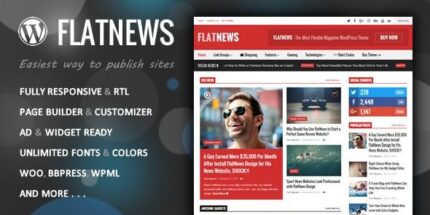
FlatNews 6.6 – Responsive Magazine WordPress Theme

FlatNews is a flexible responsive editorial magazine WordPress theme that lets you build your home layout with drag-and-drop Page Builder—no coding required. With live customizer previews, auto video thumbnails, and easy font/localization options, this theme offers fast, engaging layouts and premium design with ads and mega menu support.
Description
FlatNews is a flexible, responsive editorial magazine WordPress theme designed for building engaging home layouts without coding. It uses a drag-and-drop Page Builder workflow so you can arrange, duplicate, and reorder article boxes to match your publishing style. With WordPress Customizer live previews, you can fine-tune typography, sections, and styling in real time. FlatNews also includes features for video-first content, such as auto thumbnail picking for video and YouTube links, plus localization support for multilingual and RLT layouts.
Main Features
- Drag-and-drop Page Builder — Build your home layout by adding, dragging, and dropping article boxes.
- Live Customizer preview — Use WordPress Customizer with instant visual feedback while you adjust settings.
- Auto Thumbnail Picker — Automatically pull video thumbnails from Video and YouTube for article visuals.
- Google Fonts and custom fonts — Switch typography with one click and upload your own font files.
- Localization ready — Easily translate your site and support RLT languages with guidance for localization.
- Social icons and social counter — Display social links and counters to support content sharing.
- Ads space for mobile and desktop — Place ad areas across key breakpoints without layout changes.
- Mega menu support — Create flexible mega menus for organized navigation across multiple sections.
- Essential shortcodes — Include ready-to-use elements, including a compact contact form shortcode.
Benefits
- Faster layout creation — Drag-and-drop building helps you assemble homepage designs quickly and consistently.
- Better page experience — Full responsiveness improves usability across phones, tablets, and desktop screens.
- Content looks polished — Auto thumbnails and font controls create consistent visual presentation for articles and videos.
- Higher engagement — Social icons and counters make sharing easier and support audience interaction.
- More flexible growth — Mega menus and ad-ready areas help scale navigation and monetization-friendly layouts.
Who is it suitable for?
- Editorial and magazine websites on WordPress
- News and blog publishers that manage many article tiles
- Multilingual sites needing localization and RLT support
- Content creators featuring video posts and YouTube embeds
- Agencies building responsive client homepages and section layouts