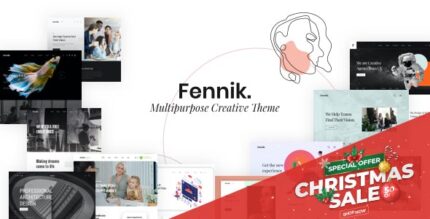
Fennik 1.2.7 – Multipurpose Creative Theme

Fennik is a drag-and-drop WordPress theme that puts powerful front-end builders at your fingertips with Elementor and a live Customizer for flawless design. It delivers a unique aesthetic and hundreds of creative elements, helping you build stunning sites fast and with minimal fuss. Perfect for creative lovers who want stylish, easy-to-use design tools—explore it today.
Description
Fennik is a drag-and-drop WordPress theme built for fast, creative site design using familiar front-end workflows. It brings powerful building tools together with Elementor and a live WordPress Customizer, so you can shape layouts and theme options visually without guesswork. The theme’s unique aesthetic is supported by a broad collection of creative elements that help you move from idea to polished pages quickly. If you want a smooth design experience and a clean way to iterate, Fennik makes it easy to refine details in real time.
With Fennik, you get a practical foundation for creating modern pages, sections, and content styles directly in the browser—ideal for showcasing your work with less friction and more consistency across your site.
Main Features
- Elementor page builder support — Build and customize pages using Elementor’s front-end editing.
- Live WordPress Customizer — Preview theme options instantly while you adjust settings.
- Drag-and-drop editing — Reorder and structure content blocks quickly for a smoother workflow.
- Unique design styling — Start from an aesthetic framework that’s ready for creative layouts.
- Hundreds of creative elements — Choose from a wide set of reusable components for faster assembly.
- Theme options for consistency — Maintain cohesive visuals across pages and sections.
- Front-end focused workflow — See changes in context as you build, reducing rework.
Benefits
- Faster page creation — Reusable elements and front-end editing help you publish sooner.
- Better user experience — Real-time previews make it easier to craft clear, polished layouts.
- Quicker design iteration — The live Customizer reduces back-and-forth while fine-tuning styles.
- Consistent branding — Theme options help keep typography and visual choices aligned sitewide.
- Lower complexity — A drag-and-drop workflow makes building pages more approachable.
Who is it suitable for?
- Creative professionals building portfolios in WordPress
- Bloggers who want a visually distinctive layout and fast publishing
- Agencies creating Elementor-based client sites
- Content creators needing reusable sections and design elements
- Small business websites that benefit from consistent theme options