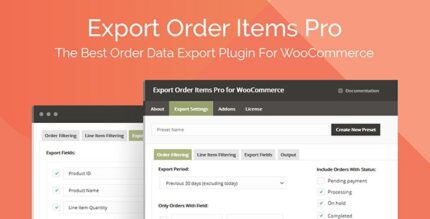
Export Order Items Pro 2.1.36

Export Order Items Pro is a WooCommerce order export tool (type: plugin) that exports orders in CSV, XLSX, HTML formats with advanced sorting and date presets. Filter by status, include custom fields, save presets for quick reuse, and tailor reports to boost fulfillment and accounting.
Description
Export Order Items Pro is a WooCommerce export plugin designed to help you generate order reports faster and with less manual work. Instead of copying data between screens, you can export order items into CSV, XLSX, and HTML formats for fulfillment, review, and accounting tasks.
It supports advanced sorting and date presets, lets you filter by order status, and includes controls for custom fields, order line items, variations, refunds, and shipping details. With saved presets and configurable report layouts, you can reuse the same export structure whenever you need specific purchase information.
Main Features
- Multi-format exports — Export order reports in CSV, CSV-ASCII, XLS, XLSX, HTML, and HTML Enhanced formats.
- Date range presets — Use common date presets or a custom start/end date and time selector.
- Order status filtering — Filter exports by statuses such as Pending Payment, Processing, Completed, and Cancelled.
- Preset-based reuse — Save export settings and presets to quickly regenerate recurring reports.
- Configurable fields — Choose which data fields to include, including custom fields, order line items, and variations.
- Conditional logic for dynamic sorting — Apply logic to determine field values and sorting behavior within reports.
- Product and taxonomy controls — Sort and filter exports by user role, category, tag, product ID, and included field.
- Inclusion and exclusion rules — Include or exclude free items, refunds, and shipping information.
- Report layout customization — Rename and reorder fields, adjust decimals, and set dynamic titles and additional rows.
Benefits
- Faster fulfillment workflows — Pull the exact order line data you need using status and date filtering.
- More accurate accounting reports — Include or exclude refunds, shipping, and free items to match your reporting rules.
- Less time spent formatting — Reuse saved presets and preconfigured field sets to avoid repetitive setup.
- Better data organization — Sort by categories, tags, product IDs, and roles to find purchases quickly.
- Improved usability for teams — Export clean, readable HTML reports with configurable titles and layout options.
Who is it suitable for?
- WooCommerce store owners who need regular order exports
- Accounting and bookkeeping workflows that require consistent reporting fields
- Fulfillment teams organizing orders by status, dates, and products
- Agencies managing multiple WooCommerce clients and reusable templates
- Teams working with custom fields, variations, and line-item level exports