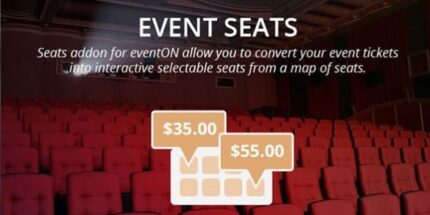
EventOn Event Seats Add-on 1.3

For Wordpress, the EventOn Event Seats Add-on transforms your events into a map-based seating experience, letting attendees pick exact seats when buying tickets. It integrates with EventON to boost engagement and reduce confusion at check-in. A side benefit is easy seat visualization and improved upsell opportunities.
Description
The EventOn Event Seats Add-on for WordPress works with the EventON plugin to turn ticket purchases into a map-based seating experience. Instead of guessing where you’ll sit, attendees can choose exact seats directly during checkout. This helps solve common event problems like mismatched expectations and last-minute confusion when guests arrive.
By converting your EventON tickets into interactive, handpicked seats from a seat map, the add-on makes seating easier to understand and manage. It also supports smoother on-site flow by reducing uncertainty at check-in and giving a clearer view of where each attendee should be.
Main Features
- EventON compatibility — Requires the EventON plugin installed in your WordPress setup to enable seat booking.
- Interactive seat map selection — Lets attendees pick seats from a visual seating layout.
- Handpicked seats at checkout — Connects ticket purchase to specific seat selection.
- Seat visualization for guests — Shows available seating areas in an easy-to-scan format.
- Seat assignment linked to tickets — Ensures the selected seat is associated with the purchased entry.
- Reduced check-in confusion — Helps staff verify where each guest should be seated.
- Improved event engagement — Adds an interactive step to the buying process that keeps attendees informed.
Benefits
- Better UX at purchase — Guests choose exact seats, reducing uncertainty and support questions.
- Fewer mix-ups on arrival — Seat-linked tickets make check-in clearer and faster for organizers.
- Higher attendee confidence — Clear seat visualization helps attendees feel informed before buying.
- Smoother event operations — Organized seat details support predictable seating coordination.
- More opportunities to drive upgrades — Highlighting specific seating areas makes it easier for guests to consider premium sections.
Who is it suitable for?
- Venues and ticketing teams running seated events through WordPress
- EventON users who want map-based ticket seat selection
- Organizations hosting cinemas, theaters, and conferences with assigned seating
- Event agencies managing multiple client events and seat maps
- Education providers running workshops or performances with fixed seats