Event Organizers Showcase for The Event Calendar 1.0.1
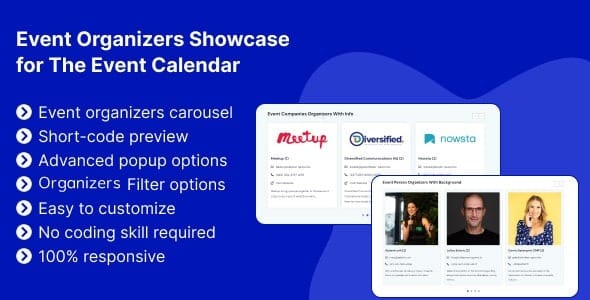
Event Organizers Showcase for The Event Calendar lets you create a stylish organizers carousel with images, titles, emails, phone numbers, websites, and recent posts via a simple shortcode, all without coding. Designed for WordPress, it boosts engagement and trust by presenting organizers clearly, with extra details in attractive popups and easy setup plus solid support.
Description
Event Organizers Showcase for The Event Calendar is a WordPress plugin that helps you present your event organizers in a polished, easy-to-browse carousel. It connects to The Events Calendar and lets you showcase organizer profiles with images and key contact details.
Instead of listing organizers in a static page, you can display a styled organizer slider anywhere on your site. With a simple shortcode, you can add the carousel to posts, pages, or templates built with Elementor or other page builders.
The plugin also supports an interactive popup that reveals more organizer information, including related event details, helping visitors understand who’s behind the events and how to get in touch.
Main Features
- Organizer carousel — Displays organizers in a swipeable, visual slider layout.
- Organizer images — Shows profile visuals alongside each organizer’s entry.
- Organizer contact details — Includes emails and phone numbers for direct outreach.
- Website links — Provides each organizer’s website for quick reference.
- Recent posts — Highlights what the organizer has shared recently.
- Shortcode placement — Lets you embed the carousel without coding.
- Popup with extra info — Opens a detailed popup with additional organizer and event information.
- Works with The Events Calendar — Designed to integrate organizer content from the event ecosystem.
Benefits
- Clearer organizer discovery — Visitors quickly find the right organizer and relevant details.
- Better engagement — The carousel and popup encourage more interaction than plain text lists.
- Higher trust signals — Emails, phone numbers, and websites make organizers feel more credible.
- Improved user experience — A structured layout reduces scrolling and helps scanning.
- More event relevance — Popup details can connect organizers to relevant event information.
Who is it suitable for?
- WooCommerce-free event websites using The Events Calendar
- Event agencies managing multiple organizers and partners
- Community organizers running meetups and workshops
- WordPress site owners building pages with Elementor
- Blogs and magazines covering events with recurring organizers
- Online education platforms that promote trainers or hosts