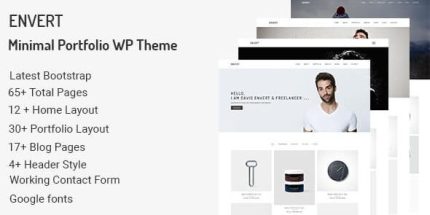
Envert 1.0 – Minimal Portfolio WordPress Theme

Envert is a minimal portfolio WordPress theme that helps you showcase work with a clean, modern design and drag‑and‑drop Visual Composer. It delivers fast, responsive, retina-ready layouts with unlimited color styles, easy demo setup, and 24/7 support—perfect for agencies, freelancers, photography, and more. A lightweight, well‑documented Type: WordPress theme that invites you to explore.
Description
Envert is a minimal portfolio WordPress theme designed to showcase your work with a clean, modern layout. It solves the common problem of building a portfolio site that looks polished without complex customization, giving you a clear way to present projects, photography, and services.
Built on Visual Composer, the theme uses drag-and-drop page building so you can assemble pages quickly with pre-made layouts and elements. With responsive, retina-ready styling and unlimited color styles, Envert helps your site look consistent across mobile, tablet, and desktop.
Main Features
- Visual Composer drag-and-drop — Build pages with a Visual Composer Page Builder interface.
- 20+ web elements — Add common content blocks to portfolio and service sections.
- Easy demo setup — Install demo content to get started quickly.
- Unlimited color styles — Adjust theme colors to match your brand and projects.
- Responsive layout — Works smoothly on mobile and tablet devices.
- Retina-ready design — Delivers crisp visuals on high-resolution screens.
- Blog single page — Present posts with a dedicated single-page layout.
- Animate any elements — Add motion to selected sections for visual emphasis.
- Single page project — Showcase individual projects with a focused layout.
- Contact Form 7 support — Use Contact Form 7 forms for inquiries and messages.
Benefits
- Quicker publishing — Demo content plus drag-and-drop editing reduces time spent setting up pages.
- Consistent branding — Unlimited color styles help keep your portfolio look aligned across pages.
- Better mobile UX — Responsive and retina-ready layouts improve readability and engagement on devices.
- More engaging presentation — Element animations make key sections stand out without clutter.
- Clear ways to connect — Contact Form 7 integration supports straightforward project inquiries.
Who is it suitable for?
- Woo portfolios and creative agencies
- Freelancers showcasing photography or design work
- Small corporate sites needing a clean, modern presence
- Teams building project-based landing pages
- Bloggers who want single-post layouts alongside a portfolio
- Content-focused websites built with WordPress and Visual Composer