Email Customizer for WooCommerce with Drag and Drop Email Builder 1.5.16
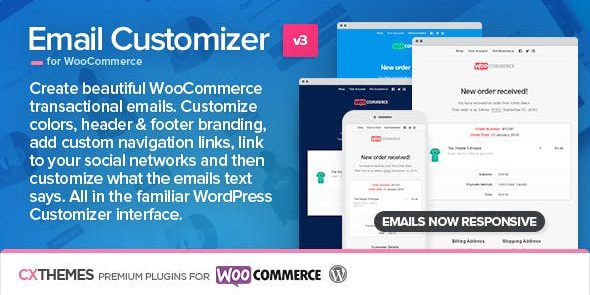
Email Customizer for WooCommerce with Drag and Drop Email Builder lets you tailor all WooCommerce emails using the WordPress Customizer—no coding required. Main benefit: complete control over colors, header/footer, links, and social icons with drag-and-drop, plus optional custom CSS. Extra win: easy integration and a polished, brand-aligned message that converts.
Description
Email Customizer for WooCommerce with Drag and Drop Email Builder is a WooCommerce plugin that helps you tailor transactional emails directly from the WordPress Customizer. Instead of editing templates in code, you can redesign the look and content of your order, account, and notification messages with a visual drag-and-drop email builder.
It solves the common problem of mismatched branding and inconsistent messaging across WooCommerce emails. With controls for colors, header/footer layout, links, and social icons, your emails stay aligned with your theme and improve the overall customer experience. Optional custom CSS is available if you need finer styling, and you can use shortcodes to customize what the email says.
Main Features
- WordPress Customizer-based editing — Customize WooCommerce email appearance and content through the familiar Customizer interface.
- Drag-and-drop email builder — Rearrange elements visually to build a polished email layout.
- Color controls — Set brand-accurate colors for key email styling without touching templates.
- Header and footer formatting — Choose how the email header and footer are presented to match your site.
- Custom link insertion — Add tailored links inside emails for navigation or calls to action.
- Social network integration — Include links to your social profiles with configurable social icons.
- Content customization with shortcodes — Customize email text using supported shortcodes.
- Optional custom CSS — Add your own CSS for additional styling when needed.
Benefits
- Consistent branding — Align WooCommerce emails with your theme styling for a more cohesive customer journey.
- Improved UX — Present clear, structured information with a layout you can adjust visually.
- Higher engagement — Add relevant links and social icons to encourage clicks and follows.
- Faster updates — Make changes in the Customizer workflow instead of relying on developers or template edits.
- Better conversion signals — Tailor messaging to support actions after key events, strengthening conversion opportunities.
Who is it suitable for?
- WooCommerce store owners who want branded transactional emails.
- Marketing teams managing email content without writing code.
- Web designers and agencies delivering WooCommerce theme-aligned experiences.
- Blog and content site owners using WooCommerce for memberships or digital products.
- Teams maintaining multiple stores that need consistent email templates.
- Site owners who want visual control of email layouts via WordPress Customizer.