Emage 4.5.3 – Image Hover Effects for Elementor

Description
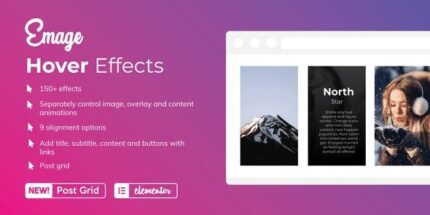
Emage is a WordPress plugin built for Elementor that helps you present posts, images, and content with rich hover interactions. It solves the “static visuals” problem by adding motion and emphasis without needing custom code. With 150+ hover effects, you can mix animations in countless combinations. Emage also lets you apply different effects to the image, overlay, and content separately, creating layered, engaging layouts. Use it inside Elementor templates and page layouts to improve how visitors interact with your site.
Whether you’re designing a landing page or upgrading a content area, Emage provides practical controls for alignment and styling, including links, buttons, colors, and typography. You can also generate post grids with hover effects for a polished browsing experience.
Main Features
- 150+ hover effects — Includes a large library of hover styles for richer visual interaction.
- Separate animation control — Apply distinct effects to the image, overlay, and content areas independently.
- Countless combination options — Mix multiple effect layers to produce varied results on the same card or tile.
- Basic to advanced visuals — Choose from simple hover transitions to more detailed image hover behaviors.
- 9 alignment options — Position elements within the hover layout to match your design goals.
- Custom links and buttons — Configure interactive elements for featured content, tiles, and cards.
- Color and typography styling — Adjust colors and text presentation to keep typography consistent with your theme.
- Post grid hover effects — Create content grids where each item inherits hover animations.
Benefits
- Higher engagement — Hover motion encourages visitors to explore content instead of scrolling past it.
- Better UX for cards — Clear overlay and content animations make interactive elements easier to notice.
- More visual variety — Separate image/overlay/content effects help each tile feel distinct without extra build effort.
- Design consistency — Typography, colors, and alignment settings help match your Elementor and theme styling.
- Improved conversions — Built-in link and button customization supports stronger calls to action in grids and tiles.
Who is it suitable for?
- Elementor users who want more dynamic content presentation
- WordPress site owners building post or product-like grids with hover cards
- Agencies creating template kits and client page layouts
- Bloggers and publishers enhancing featured content sections
- Creative studios designing portfolio-style tiles with layered hover effects