Elementor Team Card 1.2.1
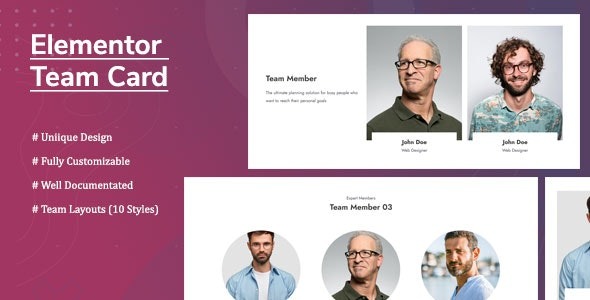
Elementor Team Card lets you display a stunning team member showcase with 9+ styles, drag-and-drop customization, and unlimited members. This WordPress plugin integrates seamlessly with Elementor, delivering responsive layouts and easy color, font, and image options for a polished, brand-aligned team page.
Description
Elementor Team Card is a WordPress plugin built for displaying a polished team member showcase directly inside Elementor. It helps you solve the common challenge of creating consistent, responsive “Meet the Team” sections without complex layouts or heavy customization work.
With 9+ ready styles, drag-and-drop controls, and unlimited team members, you can design a team section that matches your brand. Elementor options let you fine-tune colors, typography, image layout, and member details for a clean, professional look across devices.
Main Features
- 9+ team card styles — Choose from multiple predefined designs and switch styles easily.
- Drag-and-drop customization — Adjust layout settings with Elementor-friendly controls.
- Unlimited team members — Add as many profiles as needed for your page or sections.
- Responsive layouts — Ensure the team showcase adapts smoothly to different screen sizes.
- Color styling options — Customize colors to align the component with your theme and brand.
- Typography controls — Set font family and font size for names, designations, and text.
- Image/avatar layout settings — Configure how member images display within the card.
- Custom fields for profiles — Enter image/avatar, name, designation, and description for each member.
- Manage team content — Add, modify, and delete team members without reworking the whole layout.
Benefits
- Faster team page creation — Add and update members using dedicated fields instead of manual redesigns.
- More consistent branding — Apply matching colors and typography across every team card.
- Better mobile UX — Responsive rendering improves readability and layout on phones and tablets.
- Higher engagement potential — Clear profiles with strong structure make it easier for visitors to scan roles.
- Flexible design options — Style variations help you build unique presentations while keeping a cohesive layout.
- Elementor workflow compatibility — Build the showcase within Elementor, keeping edits in the same page editor.
Who is it suitable for?
- WooCommerce stores that want a credible “Team” section for trust-building
- Business and agency websites using Elementor for page building
- Portfolio sites showcasing staff, founders, or project leads
- Online schools and training platforms with instructor/team profiles
- Content creators and media teams needing clear member cards
- Web professionals preparing template kit pages for multiple client sites