Easy Query Pro 2.3.1.1 – A visual query builder plugin for WordPress

Easy Query Pro is a WordPress plugin that visually builds and displays complex queries without coding, delivering fast, dynamic lists via shortcodes and WP_Query. Its main benefit is code-free precision for tailored content right on your site. Bonus: a user-friendly visual Query Builder that ensures smooth theme and plugin compatibility. Start exploring powerful queries today.
Description
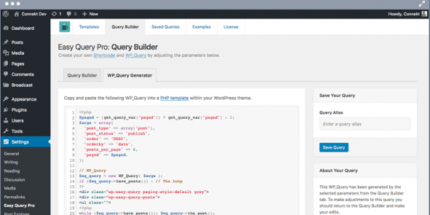
Easy Query Pro is a WordPress plugin that lets you build and display complex content queries without writing code. With a visual Query Builder, you can fine-tune parameters and generate the underlying easy_query shortcode and WP_Query snippet based on your site’s content. It helps you create dynamic, targeted lists that stay accurate as your posts and custom data change.
Instead of manually crafting query strings, you adjust options in the builder and embed results where you need them—on pages, templates, and custom sections—while keeping compatibility with your existing theme and plugins. The result is code-free precision for tailored layouts and faster iteration.
Main Features
- Visual Query Builder — Configure complex query parameters through an intuitive interface.
- Code-Free Query Creation — Build advanced results without touching PHP or query syntax.
- easy_query Shortcode Generator — Automatically create an easy_query shortcode for embedding results.
- WP_Query Integration — Generates the corresponding WP_Query logic from your selected settings.
- Dynamic Content Lists — Display outputs that reflect the current content on your WordPress site.
- Parameter-Based Filtering — Refine results by adjusting query settings in the builder.
- Fast Query Output — Designed to deliver quick rendering for tailored lists.
- Theme and Plugin Compatibility — Built to work smoothly with existing WordPress setups.
Benefits
- Higher precision — Match content to exact criteria using builder-controlled query parameters.
- Less development time — Replace manual query coding with visual setup and shortcode embedding.
- Better content UX — Show readers the most relevant lists and updates without rebuilding pages.
- Reusable templates — Use shortcodes in multiple sections to keep consistent query-driven layouts.
- Cleaner maintenance — Centralize query logic in the builder, reducing the need to edit code snippets.
Who is it suitable for?
- WordPress site owners who need tailored content lists
- Bloggers and content teams organizing posts by specific criteria
- Web designers building custom layouts with reusable query outputs
- Agencies supporting multiple client WordPress sites
- Publishers managing frequently updated archives and collections