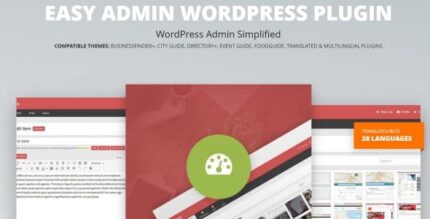
Easy Admin 3.0.2 – WordPress Plugin

Easy Admin reshapes the WordPress admin into a clean, distraction-free interface, making site management intuitive for non-tech clients. This WordPress plugin simplifies workflows, helping admins save time and reduce errors with a user-friendly layout.
Description
Easy Admin is a WordPress plugin that reshapes the default WordPress admin into a cleaner, distraction-free interface for everyday site management. It replaces the standard admin panel with a more intuitive look and feel, so non-technical users can find what they need faster.
By simplifying day-to-day workflows and admin navigation, Easy Admin helps reduce avoidable mistakes during updates, content changes, and settings review. It’s especially useful when you manage client sites in WordPress and want them to understand administration quickly—without wading through complex menus.
Main Features
- Distraction-free admin layout — Reorganizes the admin screen to keep attention on essential tasks.
- User-friendly look & feel — Presents WordPress controls in a clearer, easier-to-read interface.
- Simplified admin navigation — Makes it quicker to move between common sections without excessive complexity.
- Streamlined workflow for updates — Supports smoother routine management by reducing friction in daily tasks.
- Less room for misclicks — A cleaner interface helps lower the chances of entering incorrect areas.
- Client-friendly usability — Designed to help non-tech clients feel comfortable when managing their own site.
- Fits into existing WordPress setups — Works within standard WordPress administration patterns.
- Improved clarity for admin tasks — Helps users understand what they’re changing before saving.
Benefits
- Faster task completion — Easier navigation reduces time spent locating the right admin screens.
- Better UX for non-technical users — A more readable interface improves confidence during everyday editing.
- Fewer admin errors — Clearer organization helps prevent accidental changes in the wrong area.
- Smoother client handoff — Clients learn administration more quickly with an intuitive WordPress backend.
- More consistent workflows — Streamlined screens make routine management more reliable across site updates.
Who is it suitable for?
- WordPress site owners who want a simpler admin experience
- WooCommerce store managers who update products and settings regularly
- Web agencies and freelancers supporting client websites
- Content teams managing updates with limited technical knowledge
- Non-technical operators using WordPress with Elementor-based pages
- Organizations running training sites that require straightforward site administration