D’Shiner Creative Studio & Digital Agency Elementor Template Kit

Version
Updated
Developer
Report
D’Shiner Creative Studio & Digital Agency Elementor Template Kit
$29.00 $1.97 -97%
Add to cart
Instant download after purchase ClamAV scanned · Clean
All-Access Membership

Make your site exactly what you imagine.

Change themes. Try new plugins. Experiment until it feels right. With full access to 20,400+ tools, you're free to build without limits.

  • 🖌️ Professional design: Give your store or blog a unique look.
  • More conversions: Use templates and plugins built to sell.
  • 🔄 Experiment freely: Switch themes and try new tools without extra cost.
  • 👶 Beginner-friendly: No experience needed—just pick and activate.
  • 📈 More downloads: Get up to 20 items daily instead of just one.

Everything included

$6.97/mo

Cancel anytime

Start building freely →
Items available 20,400+
Daily downloads up to 20
Happy customers 11,000+

Description

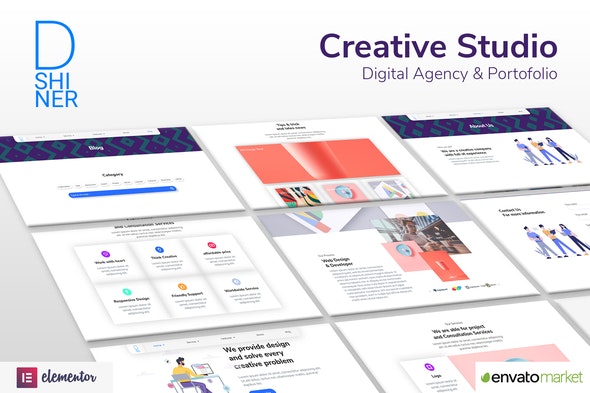
D’shiner Template kit, especially made for website which needs a modern and clear look, also minimizing image and switch it with Lottie animation. This also makes the site’s ambience feel more live by that motion. only use Elementor free and one snap, the template can modify or another easy way. use the default version as is it.

  1. Home 1
  2. Home 2
  3. Home 3
  4. Service Category
  5. Single Service 1
  6. Single Service 2
  7. About Us
  8. Contact Us
  9. Work (portofolio)
  10. Blog (news)
  11. FAQs
  12. Error 404
  13. Coming Soon
  14. Header Section
  15. Footer Section

HOW TO INSTALL:

  • Install and Activate the “Envato Elements” plugin from Plugins > Add New in WordPress
  • Do not unzip
  • Go to Elements > Installed Kits and click the Upload Template Kit button.
  • Before importing a template, ensure the Install Requirements button is clicked to activate required plugins
  • For best results, do not import more than one template at a time. This Template Kit uses demo images from Envato Elements. You will need to license these images from Envato Elements to use them on your website, or you can substitute them with your own.
  • Setup Global Header and Footer in Header Footer & Blocks plugin

    1. Import the header and footer template
    2. Go to Appearance > Header Footer and click Add New button
    3. Give it a title and select Header, Display on Entire Site and click Publish
    4. Click Edit with Elementor
    5. Click the gray folder icon to access My Templates tab and select the header template to import and Update.
    6. Repeat for Footer